What Is a QR Code and How Does It Work?
SUMMARY OF THIS ARTICLE
- A QR code is a square pattern of black and white squares that stores information your phone can read in about a second.
- QR stands for Quick Response, because the code was made to be read very fast, from almost any angle.
- Your phone camera finds three big corner squares, reads the small squares as a code, and offers you an action, like opening a web page.
- QR codes can hold a website link, a Wi-Fi login, a contact card, a ticket, a menu, or a short message.
- A QR code itself cannot run a program on your phone, but the link it opens can be unsafe, so always check the web address preview before you tap it.
What Is a QR Code, in the Simplest Words?
A QR code is a square picture made of small black and white squares. It looks like a puzzle, but to your phone it is a message written in a code that a camera can read very fast.
QR stands for Quick Response. Quick means fast. Response means an answer. The name tells you the idea: point your phone at the code, and you get a fast answer.
A website address written in letters is made for people to read. A QR code is the same kind of message, but written for a camera. It uses dark and light squares instead of letters. Your phone turns that pattern back into letters, numbers, and links you can use.
Most of the time, a QR code is a shortcut. It saves you from typing a long website address, a long Wi-Fi password, or a phone number by hand. You scan, you tap, and you are there. A QR code has no battery, no chip, and no wire. It is only a printed pattern, so it can be printed on paper, shown on a screen, or stuck on a box, and still work, as long as your camera can see it clearly.
How Is a QR Code Different From a Barcode?
A barcode is the set of thin black lines you see on almost every product in a shop. At a checkout, a scan tells the computer which product it is and how much it costs.
A barcode is one-dimensional: it carries information in only one direction, left to right, like one line of writing. So it holds only a small amount of information, often just a number that points to a product. The old factory barcodes could hold only about 20 characters.
A QR code is two-dimensional: it carries information both across and down, like a whole page instead of one line. So it can hold a full website address, a message, or contact details in one small square. A barcode also needs to be held more or less the right way up. A QR code does not, thanks to the three big squares in its corners. Your phone can read it upside down, sideways, or at an angle.
A Short History: From Car Parts to Everywhere
QR codes were not invented for menus or tickets. They were invented for a factory.
In 1994, in Japan, a company called Denso Wave made parts for cars. Workers tracked those parts with barcodes, but barcodes were slow: workers had to scan many of them for one box, and each held very little information. An engineer named Masahiro Hara led a small team that built something better. After about a year and a half, they had the QR code, which Denso Wave says could be read about ten times faster than the old barcodes. That speed is why it was called Quick Response.
Two choices helped it spread. Denso Wave made the basic code free for anyone to use, as long as they followed the shared standard, and the code became an official world standard, ISO/IEC 18004.
For years, QR codes were mostly used in factories and warehouses. Then phones got better cameras, and phone makers built QR reading into the camera app. Suddenly everyone had a scanner in their pocket. Menus, tickets, and payments moved to QR codes, and contact-free service made them even more common. Today, a small idea from a car-parts factory sits on tables, posters, and parcels all over the world.
The Parts of a QR Code
A QR code may look random, but every part has a job.
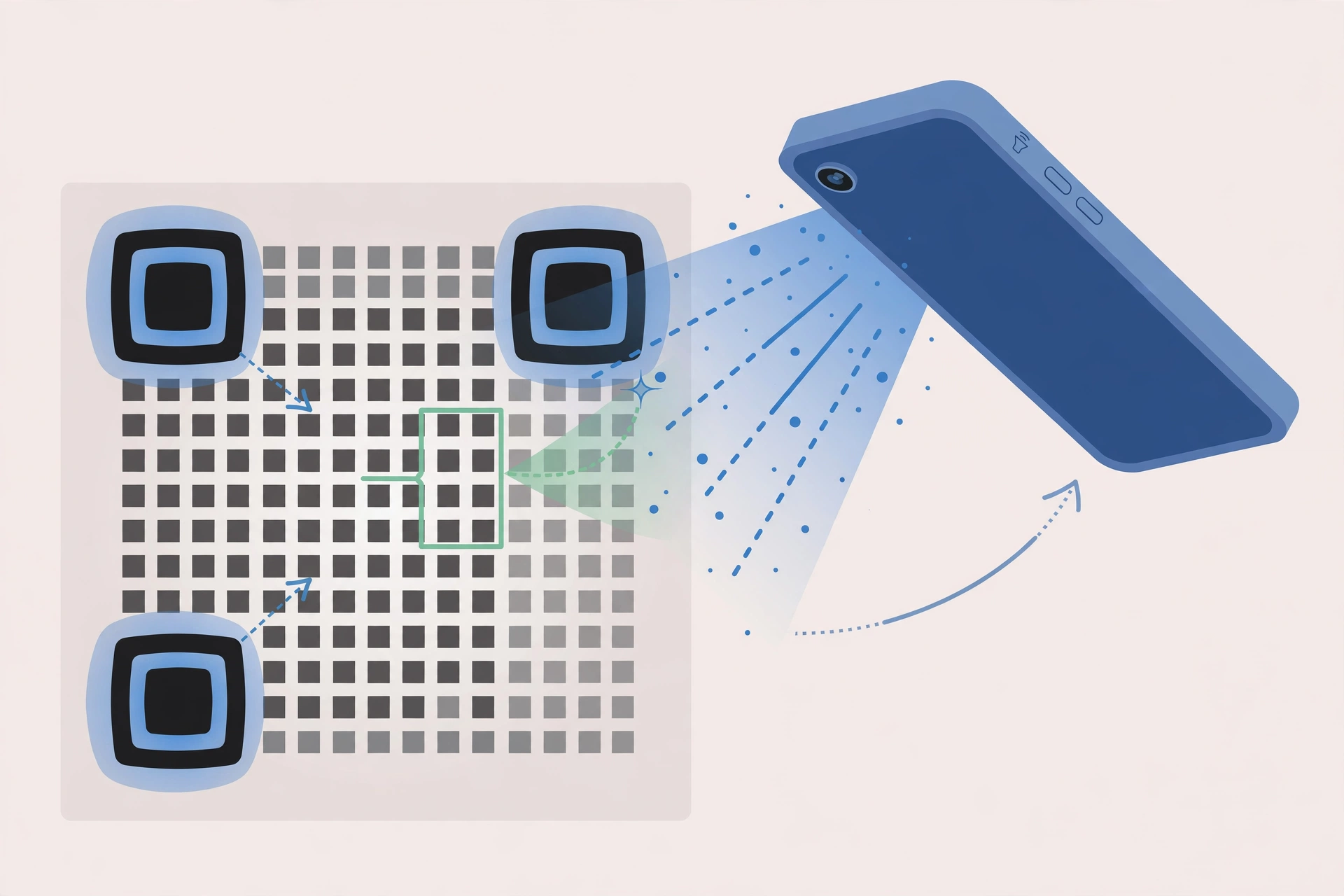
The three big squares in the corners are called finder patterns. They look like a square inside a square inside a square. Your camera looks for them first. They say, “Here is a QR code, and here is which way it is facing.” That is why upside-down scanning works. There are only three, not four: the empty fourth corner helps the camera tell the code apart from other patterns nearby.
The lines of small squares between the finder patterns are timing patterns. They switch between dark and light, like a ruler, and tell the scanner how many rows and columns the code has, and how big each square is. Bigger codes also have small alignment patterns inside, extra signposts that keep reading accurate on a large code or a curved surface.
The rest of the squares hold the real message. Each small square is called a module. A dark module means one value, a light module another, a little like the ones and zeroes computers use. Your phone reads the whole grid at once and rebuilds the message.
Around the outside is a quiet zone: a plain border, usually white, about four modules wide. It gives the camera a clean edge, so it can tell where the code starts and the poster or box ends. If a design covers the quiet zone, the code may fail to scan. Some squares are not part of the message at all. They are spare copies, added on purpose, as we see next.
Error Correction: Why a Damaged Code Can Still Work
Ever scanned a code that was a little torn or faded, and it still worked? That is error correction, not luck.
When a code is made, the message is not written just once. Extra information is mixed in, using maths called Reed-Solomon error correction, also used for music CDs, which keep playing despite small scratches. In simple words, the scanner gets spare pieces of the puzzle. If part of the code is dirty or hidden, it rebuilds the missing part from the spares.
There are four levels. Level L rebuilds about 7 percent of a damaged code, M about 15 percent, Q about 25 percent, and H, the highest, about 30 percent. So a top-level code can lose almost a third of itself and still scan. This is also why some codes have a logo in the middle: the scanner rebuilds the message around it. The logo should still stay small and central, and the code should be tested afterwards.
Higher error correction makes a code more crowded, since it needs more squares for spares. A factory box that may get scratched needs high error correction. A code on a clean phone screen may not.
How Your Phone Reads a QR Code, Step by Step
Step 1: Your camera finds the code. It looks for the three finder patterns, then works out the size and direction of the grid.
Step 2: Your phone photographs the grid. It does not need a perfect photo, just a clear enough view of the dark and light squares. Good light and a steady hand help.
Step 3: The phone reads the squares. Software called a decoder turns the pattern back into data, using the timing patterns to count rows and columns, and error correction to fix damaged parts.
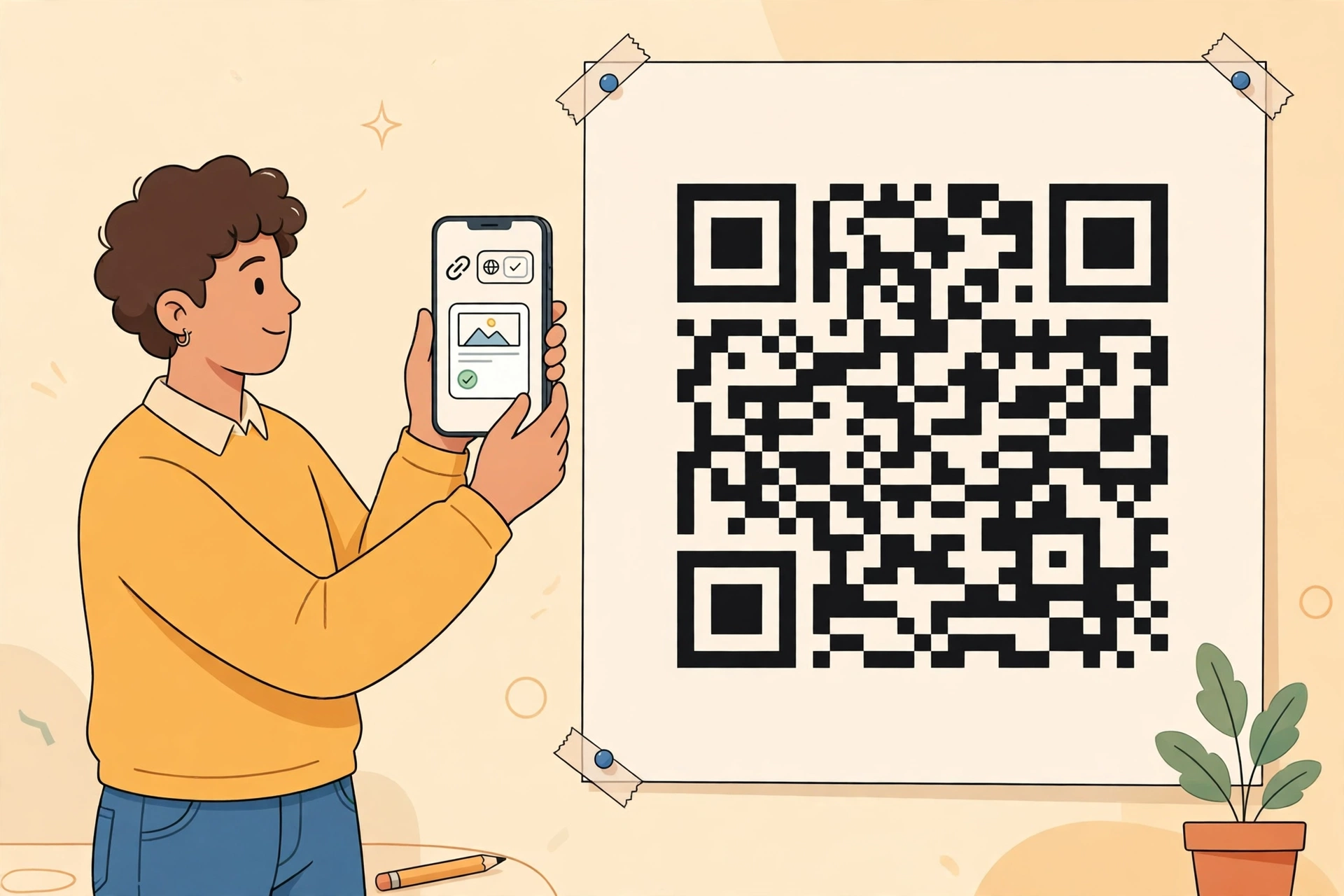
Step 4: Your phone works out the kind of message. If it is a website address, it offers to open that page. If it holds Wi-Fi details, it offers to join that network. If it is a contact card, it offers to save the contact. If it is plain text, it simply shows the text.
Step 5: Your phone asks you first. It shows a preview, like a small banner with the address or action. Nothing important happens until you tap it. That pause is your chance to check the link looks right.
Step 6: You tap, and the action happens. The browser opens, the Wi-Fi offer appears, or the contacts app opens with details ready to save. The code itself is never connected to the internet. It is only a printed message. Any internet connection comes from your phone, and only if the message asks it to open a web page.
How Much Can a QR Code Hold?
At its largest, a standard QR code can hold up to 7,089 numbers only, or 4,296 letters and numbers mixed together, or 1,817 Japanese kanji characters. Those are maximum figures. Most everyday codes are far smaller: a website address may use only a few dozen characters.
There are 40 sizes, called versions. Version 1 has 21 squares on each side. Each version adds four squares per side, up to version 40, with 177 squares per side. A short message makes a small code with big squares, easy to scan from far away. A long message makes a crowded code with tiny squares, which must be printed bigger and scanned from closer up. That is why good codes are kept short. A tiny, crowded code on a poster meant to be scanned from two metres away will often fail, because the camera cannot tell the squares apart.
Static and Dynamic QR Codes
The key difference for everyday users is between static and dynamic codes.
A static code has its message baked into the pattern. Once printed, it cannot be changed. If the website moves, the old code points to the old address, and a new code must be printed. Static codes are simple, work for as long as the destination exists, and need no service behind them. They suit things that will not change, like a contact card or a home Wi-Fi login.
A dynamic code holds a short redirect link instead, and that link points to the real destination. The maker can change where the link points without changing the printed code. That is very useful for posters or products already printed in large numbers. Dynamic codes can also count scans in a private dashboard, since every scan passes through the short link. But they depend on the service running that link. If the service closes or the maker stops paying, the code can stop working, though the printed square looks fine.
To you as a scanner, both look and scan the same. The difference only shows when an old code stops working, or a poster code opens a different page than last year: with a dynamic code, that change may have been made on purpose, behind the scenes. There are also special kinds, like Micro QR codes for very small spaces, but the standard square code is the one you will meet almost everywhere.
What Can a QR Code Do?
QR codes turn a physical thing into a digital shortcut. Here are the uses you will meet most.
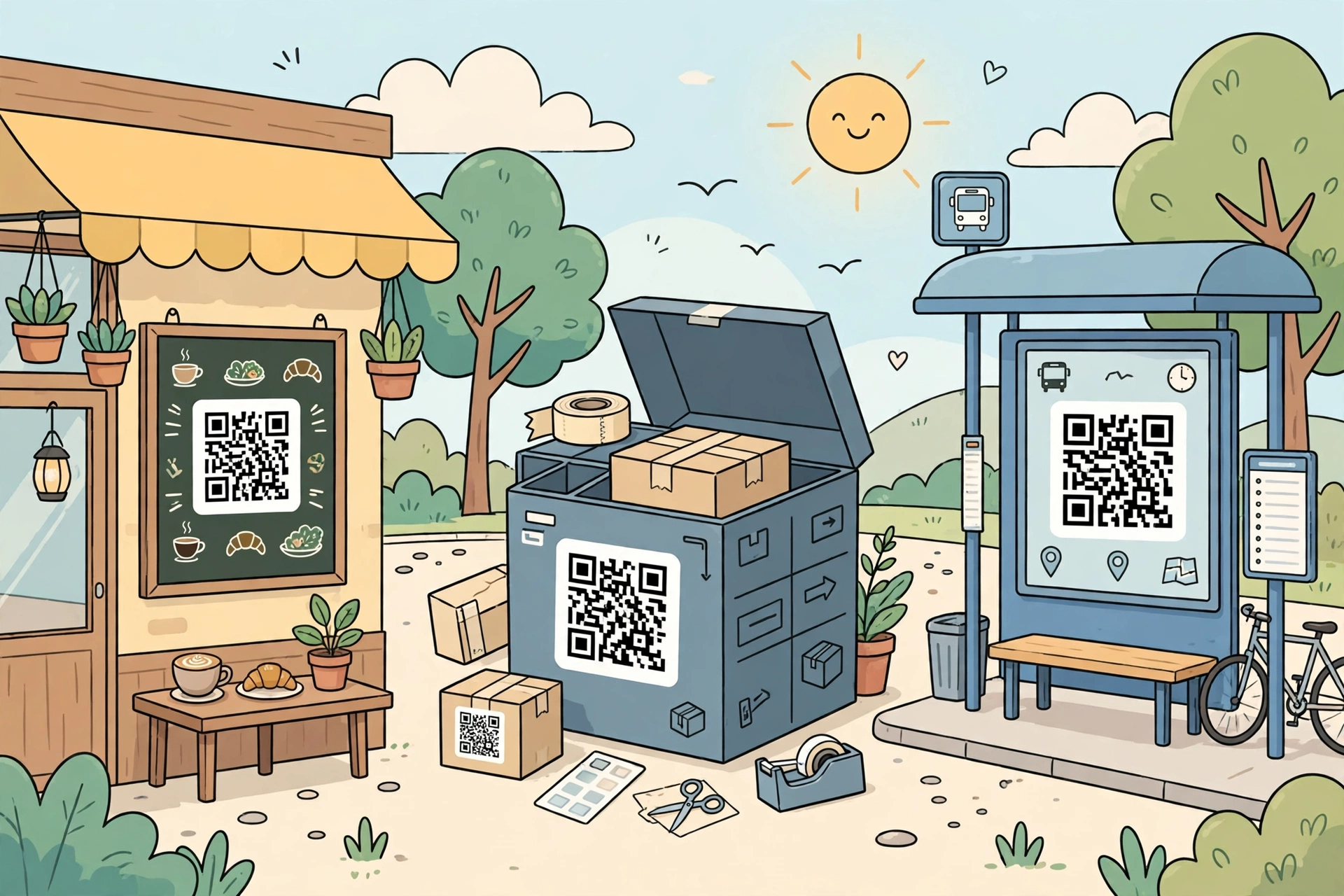
Websites: a poster, book, or business card can open a website, video, or sign-up page, so you need not type the address. Menus: many cafes put a code on the table, and scanning opens the menu, sometimes with ordering and payment. Tickets: a train, cinema, or flight ticket often carries a code that staff scan at the gate to check it is real. Payments: in many countries you pay by scanning a shop’s code, or a shop scans yours, without typing card numbers by hand.
Wi-Fi: a code can hold a Wi-Fi network name and password, so your phone can join without you typing a long password. Contacts: a code can hold a contact card, called a vCard, and your phone offers to save the name, number, and email. Messages: a code can open a pre-written text or email, ready for you to check and send, or simply show short instructions. Tracking: codes on parcels let workers and systems follow each item’s journey, so you can track a delivery online. Learning: museums and parks place codes beside objects, and scanning brings up extra information, audio, or video on your own phone.
How to Scan a QR Code on Your Phone
Most modern phones scan QR codes with no extra app, using the camera app that came with the phone.
On an iPhone, open Camera in Photo mode, hold the phone so the whole code is in the frame but not too close, and wait. A banner appears showing the link or action. Read it, and tap only if it looks right. You can also use Code Scanner in Control Centre, if you have added it.
On Android, such as a Samsung Galaxy or Google Pixel, open Camera the same way and wait for the banner. If nothing appears, check camera settings and make sure QR scanning, sometimes called “scan QR codes” or “camera scan suggestions,” is turned on. Some Android phones also have a QR tile in Quick Settings, opened by swiping down from the top of the screen.
If your phone is older and its camera cannot scan, you may use a scanner app, but pick a well-known one from the official app store, and check its permissions. A scanner should not need your contacts, messages, or location just to read a code. In most cases the built-in camera is safest, and it shows the link preview before anything opens.
Tips that help: hold steady, allow enough light, avoid glare on shiny screens or posters, and move closer or further away until the code fills a good part of the frame but still fits fully inside it. On a curved bottle, try the flattest part. On a screen, raise brightness a little.
Do You Need the Internet to Scan?
Scanning itself needs no internet: your phone reads and decodes the pattern on the phone itself. So a code holding plain text, a contact, or a Wi-Fi login works fully offline.
But a code holding a website address needs the internet to load that page. Your phone can read the address offline and show the preview, but the page lives online, so it cannot load until you are on Wi-Fi or mobile data. The same applies to videos, payment pages, and online forms. If a scan shows only plain text, with no action offered, that is normal: there is simply nothing more to open.
When a QR Code Will Not Scan
First, check light and distance. Too little light, glare, or a phone too close or too far are the most common causes. Move slowly, and tilt slightly to cut glare. Second, make sure the whole code is in view, including its plain border, the quiet zone. A folded corner, a cut-off edge, or a finger over the code will stop it reading. Third, check damage: a very torn or faded code may be beyond what error correction can rebuild, and a code printed too small may have squares too tiny to tell apart. Fourth, check settings: QR scanning can be turned off by mistake, so make sure it is on in camera settings, and keep phone software updated. Fifth, try a slight angle for a curved bottle or shiny sign. If a ticket code still fails, look for a booking number to show staff instead, and do not keep scanning a code that looks tampered with.
Are QR Codes Safe?
A QR code itself is not a program. It cannot run code on your phone, install an app by itself, or steal information just because you pointed your camera at it. It only holds text. The risk comes from what that text asks you to do next, exactly like a link handed to you on paper.
Scammers do use QR codes, because you cannot read one with your eyes: you cannot glance at the squares and spot a wrong address, as you might with a printed link. So follow these habits.
Always read the preview before you tap. Check the domain, the main part of the address just before the first single slash. If a table code promises a menu but shows a strange or misspelled address, do not tap it. Type the real website yourself, or ask staff.
Look at the physical code first. Scammers sometimes stick a fake code over a real one on parking meters, tables, posters, and signs. A sticker with edges you can feel, a crooked code, or colours that do not match the poster are warning signs. If it looks added afterwards, do not scan it.
Never type passwords or card details on a page reached by scanning a public code, unless you are sure of the destination. A real menu or timetable rarely asks you to log in. If a scan lands on a login page out of nowhere, close it and go to the service yourself, through its official app or typed address. For payments, check the payee and amount, and confirm through the official app if anything feels off. Scams often rely on hurry, so slow down.
Be careful with codes in unexpected messages. Treat an unexpected email, text, or social post containing a code like any unexpected link. Even if it seems to come from a friend, their account may have been hacked. Check with the sender another way first.
Use the built-in camera, not a random scanner app, where you can: many third-party scanners are full of adverts or collect more data than needed, while the built-in camera already gives you the link preview. Keep your phone updated, since the browser session after a scan is ordinary web browsing.
If you tap a link and realise it was a scam, do not fill in any form. Close the page. If you typed a password, change it from the real website on a trusted device. If you sent money, contact your bank or payment provider at once, and report it to your local consumer protection authority. This safety advice is general guidance for everyday users, not professional security advice for businesses.
Common Myths, and What Comes Next
Myth 1: QR codes expire. A static code has no expiry date built in. It works while the pattern is readable and the destination exists. A dynamic code can stop working, but only because its behind-the-scenes service changed or closed.
Myth 2: codes only work held straight. No: the finder patterns work out the direction, so upside down and sideways both work. Myth 3: codes must be black and white. Black on white is easiest, but coloured codes can work if dark squares stay clearly darker than light ones. A code over a busy photo, with no clear quiet zone, is the kind that fails. Myth 4: scanning will hack your phone. Scanning alone installs nothing and runs no program. Harm only comes if you tap through to a harmful page and then act there, like entering a password. That is why the preview check matters.
Codes are still changing. The basic idea stays the same: a printed pattern, a phone camera, and a fast shortcut from the physical world to the digital one.
Frequently Asked Questions
What does QR stand for?
Quick Response, because the code was designed to be read very fast, much faster than earlier factory barcodes.
Who invented the QR code?
Masahiro Hara and his team at Denso Wave, Japan, in 1994, for tracking car parts. The story that Hara was inspired by the board game Go, with its black and white stones, is widely reported, but is best read as a colourful origin story rather than a precise technical fact.
Do I need an app to scan a QR code?
Usually no. Current iPhones and Android phones scan with the built-in Camera app. Only older phones without built-in scanning need a separate app.
Can a QR code be scanned upside down?
Yes. The three finder patterns tell your phone which way the code faces, so upside down, sideways, or angled scans all work.
Can a damaged QR code still work?
Often, yes. Error correction rebuilds missing parts, and at the highest level about 30 percent of a code can be damaged and still scan.
How much can a QR code hold?
At most, 7,089 numbers only, or 4,296 letters and numbers mixed. Everyday codes hold far less, often just a short web address, because short codes scan faster.
What is the difference between static and dynamic QR codes?
Static codes are fixed when printed and cannot be changed. Dynamic codes hold a redirect link, so the destination can be changed later without reprinting, but they depend on the service running that link.
Do QR codes need the internet?
Scanning does not, but opening a website, video, or online form from a code does. Text, contact, and Wi-Fi codes work offline.
Are QR codes safe to scan?
Scanning is generally safe, since a code only holds text. The risk is its destination, so read the preview, watch for tampered public codes, and never enter passwords or card details after a public scan unless you are sure it is genuine.
Why won’t my QR code scan?
Usually poor light, glare, wrong distance, part of the code cut off, heavy damage, a very small print, or scanning turned off in camera settings. Improve light, fit the whole code and border in frame, and check settings.