Why Does Your Phone Get Hot While Charging?
SUMMARY OF THIS ARTICLE
- A phone gets a little warm while charging because charging moves energy, and some energy turns into heat.
- Fast charging, heavy use while charging, and a thick case can make a phone hotter.
- A warm phone is normal, but a very hot phone is a warning sign.
- You can cool a phone by using the right charger, removing the case, and avoiding games while charging.
- If a phone gets very hot, swells, or smells strange, stop charging and get help at once.
A Warm Phone Is Normal, Up to a Point
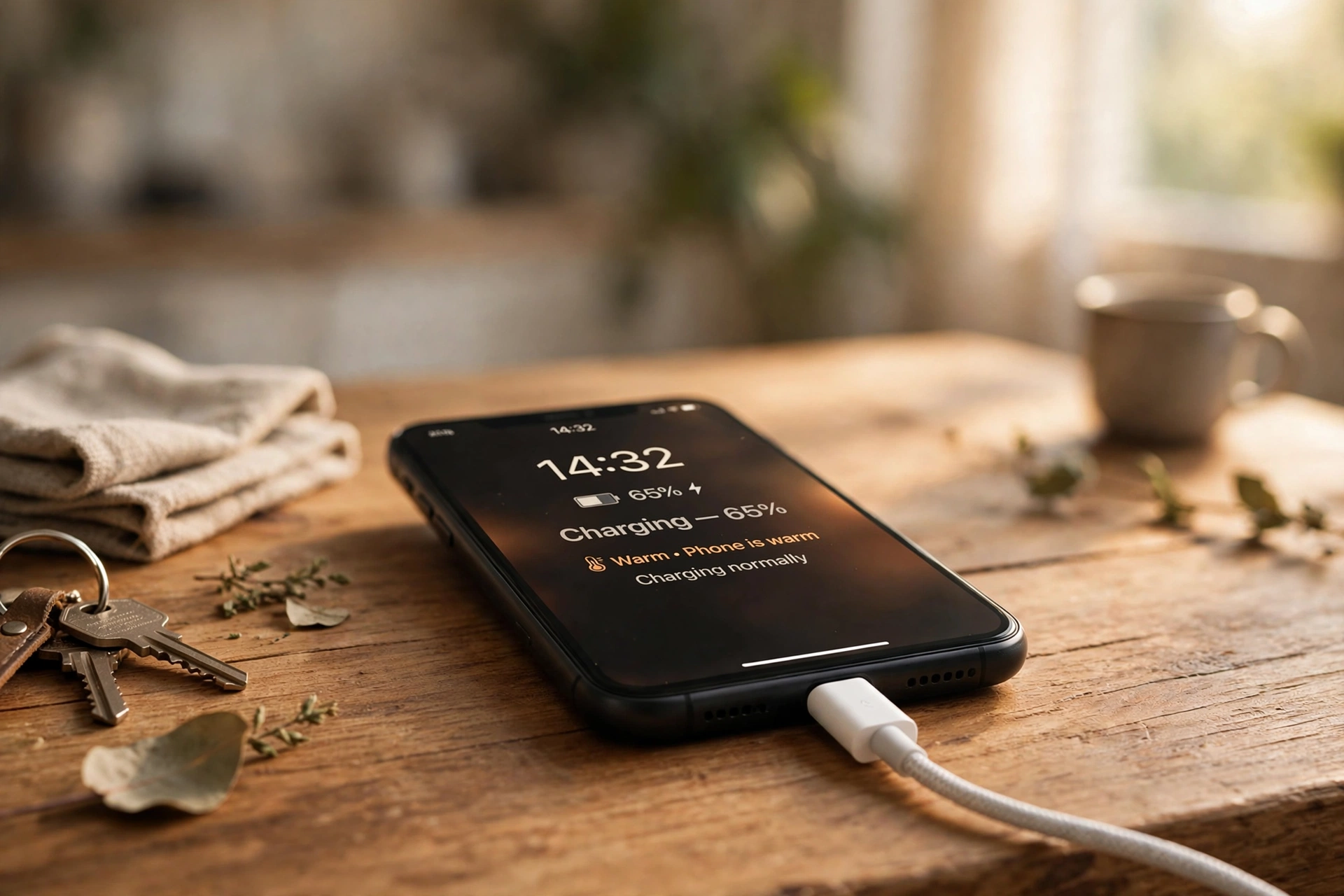
You plug in your phone. After a few minutes, you pick it up and it feels warm. Sometimes it feels quite hot. Is something wrong? In most cases, no. A little warmth while charging is normal. Every phone gets warm when it charges. But there is a difference between warm and dangerously hot, and it is important to know that difference.
Your phone is a small computer with a battery. Charging is not a quiet, cool process. It moves a lot of energy into a small space, very fast. Some of that energy always turns into heat. Think of it like running. When you run, your body gets warm. Your phone “runs” when it charges, and it gets warm too.
In this article, we will explain why phones get hot while charging, in very simple words. You will learn how batteries work, what makes heat worse, when heat is dangerous, and what you can do to keep your phone cool and safe. You will also learn simple charging habits that help your battery last longer.
How a Phone Battery Works
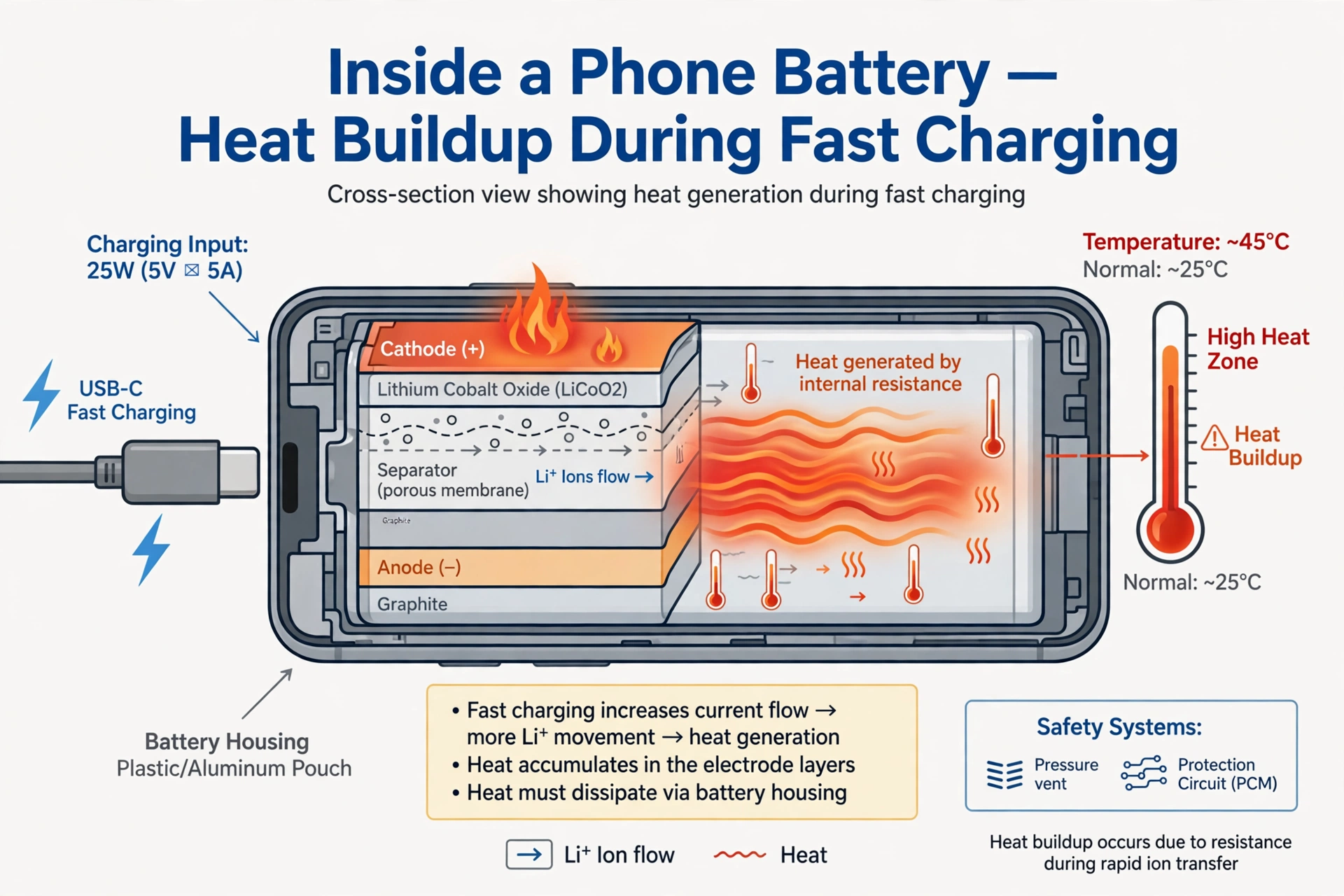
Most modern phones use a lithium-ion battery. That is a small, flat battery that can be charged again and again. Inside the battery, tiny particles called ions move from one side to the other. When you use your phone, ions move one way and give out energy. When you charge your phone, ions move back the other way, and energy is stored again.
This movement is not perfect. Every time ions move, a little energy is lost as heat. It is like friction. When you rub your hands together fast, they get warm. Inside a battery, the same kind of friction happens at a tiny scale. The faster you charge, the more ions move at once, and the more heat is made.
A phone battery is also very small and packed tightly. There is not much room for heat to escape. The phone case, the screen, and the parts inside all trap some heat. That is why a phone can feel warm even when it is doing a normal job.
Batteries also age. An old battery does not work as well as a new one. It may make more heat, and it may hold less charge. If your phone is several years old and gets hot more often, age may be part of the reason. That does not always mean the phone is broken, but it is a sign to watch it closely.
Why Fast Charging Makes More Heat
Fast charging is very popular because it saves time. A fast charger can fill half your battery in about 30 minutes. But speed has a cost: heat. A normal charger sends energy slowly. A fast charger sends a lot of energy at once. More energy in less time means more heat in less time.
Think of filling a water bottle. If you pour slowly, the water goes in calmly. If you pour very fast, water splashes and the bottle shakes. Fast charging is like pouring fast. The battery works hard, and heat builds up.
Phone makers know this. They build safety systems into phones. When a phone gets too hot during fast charging, it slows down the charging speed on its own. You may notice your phone charges fast at first, then slower near the end. That is not a fault. It is the phone protecting itself. The last part of charging, from about 80 percent to 100 percent, is often slower and cooler for this reason.
Wireless charging can also make more heat. A wireless charger sends energy through the air to a coil inside the phone. Some energy is lost in that transfer, and lost energy becomes heat. Wireless charging pads can also trap heat under the phone. That is why a phone on a wireless pad often feels warmer than a phone on a cable.
Using Your Phone While It Charges
Using your phone while it charges is one of the biggest causes of extra heat. When you play a game, watch a video, or make a video call while charging, your phone is doing two hard jobs at once. It is charging the battery, and it is also running the screen, the processor, and the internet connection. Both jobs make heat, and the heat adds up.
Games are the worst. A game uses the processor heavily, makes bright graphics, and often uses the internet too. If you play a game while charging, your phone can get very hot, very fast. Video calls are similar. They use the camera, the screen, the microphone, and the internet all at once.
Even simple things add heat. If your phone is downloading a big update while charging, or if many apps are running in the background, the phone works harder. If you are in a place with weak signal, your phone works even harder to stay connected, and that also makes heat.
The simplest fix is to let your phone rest while it charges. Put it down, leave the screen off, and let it charge in peace. It will charge faster, stay cooler, and the battery will thank you. If you must use it, use it lightly: a short message or a quick check, not a long game or video.
The Charger, the Cable, and the Case
Not all chargers are equal. A cheap, fake charger may send the wrong amount of power, or send it unevenly. That can make a phone very hot, and in rare cases it can damage the battery or even cause a fire. Always use a charger made by your phone maker, or a trusted brand that matches your phone’s needs. If a charger feels very hot itself, or if it makes a buzzing sound, stop using it.
Cables matter too. A damaged cable, with a frayed wire or a loose plug, can cause poor contact and extra heat. If your cable is bent, cracked, or only works when you hold it at an angle, throw it away and buy a new one. A good cable is cheap. A damaged battery is not.
Your phone case can also trap heat. A thick, heavy case, especially a leather or rubber case, acts like a blanket. It keeps heat inside the phone. During charging, that trapped heat builds up. If your phone feels hot, try taking the case off while it charges. You will often feel the phone cool down quickly. A thin case, or no case during charging, helps heat escape.
Where you charge matters too. If you charge your phone under a pillow, inside a bag, or in direct sunlight, heat cannot escape. A phone on a bed, covered by a blanket, is a classic cause of overheating. Always charge on a hard, flat surface, in a cool room, with air around the phone. Never charge a phone under bedding.
Hot Weather and Other Causes
Hot weather makes everything worse. If the air is already 35 degrees, your phone starts warm and gets hotter faster. Charging a phone in a hot car, on a sunny windowsill, or outside on a summer day can push it over its safe limit. Phones are designed to work best between about 0 and 35 degrees. Above that, they may slow down, stop charging, or show a warning.
Software can also cause heat. A buggy app that runs all the time, a phone that is stuck updating, or a phone with too many apps open can make the processor work hard. If your phone is hot even when it is not charging, check which apps use the most battery in your settings. Closing or deleting a problem app can fix the heat.
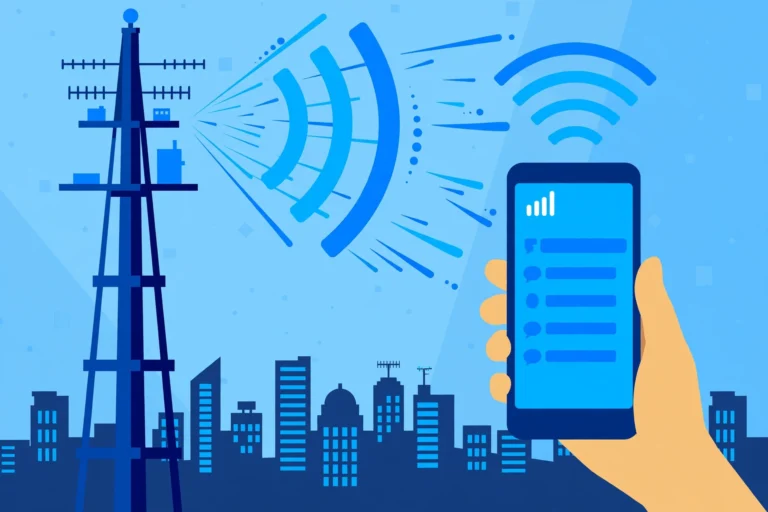
Sometimes, heat comes from the network. If you are travelling, or in a place with weak signal, your phone keeps searching for a tower. That searching uses a lot of power and makes heat. Turning on aeroplane mode while charging, if you do not need calls, can help the phone rest and charge cooler.
Age and damage also matter. A phone that has been dropped, got wet, or has a swollen battery will often get hot. A swollen battery is a serious problem. If the back of your phone bulges, or the screen lifts, stop using it at once and take it to a repair shop. Do not try to fix a swollen battery yourself, and do not keep charging it.
When Is Heat Dangerous?
So, when should you worry? A phone that feels warm, like a warm cup of tea, is usually fine. A phone that feels hot to touch, so you want to put it down, is a warning. A phone that is too hot to hold, smells strange, or shows a temperature warning on the screen needs action at once.
Most phones have a safety warning. If the phone gets too hot, it may show a message like “Charging paused” or “Phone too hot.” It may dim the screen or slow down. Listen to that warning. Unplug the phone, move it to a cool place, and let it cool down on its own. Do not put it in a fridge or freezer. Sudden cold can cause water inside the phone and damage it more. Just let it cool in normal air.
Stop charging at once if you see any of these signs: smoke, a burning smell, a swollen battery, a cracked battery, or a charger that is melting or very hot. Move away from the phone if it smokes, and do not touch it with bare hands if it is very hot. In a real fire, call emergency services. These cases are rare, but they are serious, and quick action matters.
For most people, the risk is low if they use good chargers and good habits. Phone makers test batteries very carefully. Modern phones have many safety layers. But those layers only work if we do not ignore warnings or use dangerous chargers.
Simple Habits to Keep Your Phone Cool
Here are simple habits that help, in plain words. Use the charger that came with your phone, or a trusted one made for your phone. Do not use very cheap chargers from unknown sellers. Take the case off while charging if your phone feels warm. Charge on a table, not on a bed or under a pillow. Avoid direct sunlight while charging. Do not play heavy games or make long video calls while charging. Let the phone charge with the screen off when you can.
Charge little and often, rather than always from zero to 100 percent. Batteries like to stay between about 20 percent and 80 percent. Charging to 100 percent every time, and letting the phone go to zero, wears the battery faster. Many phones have a setting to stop charging at 80 percent overnight. Use it if your phone has it.
Keep your phone software up to date. Updates often fix bugs that cause extra heat. Close apps you are not using, and check battery use in settings from time to time. If one app always uses a lot of battery and makes heat, consider deleting it or limiting its background use.
At night, do not charge your phone under your pillow. Put it on a bedside table, on a hard surface, away from bedding. That one habit alone prevents many overheating problems. It also helps you sleep better, because you are not tempted to check the phone all night.
What About Charging Overnight?
Many people charge overnight. Is that safe? With a modern phone and a good charger, overnight charging is usually safe. Phones stop charging when they reach 100 percent, then top up slowly as needed. But overnight charging still keeps the phone warm for hours, and it keeps the battery at 100 percent, which wears it faster over time.
If you charge overnight, use a slow charger, not a fast charger. Put the phone on a table, not under bedding. If your phone has an “optimised charging” setting, turn it on. That setting learns your wake-up time and finishes charging just before you wake up, so the phone does not sit at 100 percent all night. That is kinder to the battery.
Some people prefer to charge in the morning while getting ready. That is often enough for a day, especially if you charge to 80 percent. It is a good habit if you can do it. But if overnight is the only time that works for you, it is fine, as long as you follow the safety habits above.
How Phone Makers Try to Keep Phones Cool
Phone makers spend a lot of time on heat. They know a hot phone is bad for the battery, bad for speed, and bad for the user. So they build many cooling tricks into modern phones, even if you never see them.
Inside a phone, there is often a thin sheet of graphite or copper. Graphite and copper move heat away from the hot parts, like the processor and the battery, and spread it across the phone. That is why heat feels even across the back of the phone, not just in one small spot. Some gaming phones have even bigger cooling systems, with vapour chambers, which are flat sealed tubes with a little liquid inside. The liquid turns to vapour when hot, moves to a cooler part, turns back to liquid, and repeats. It is a clever, silent cooling loop with no fan.
Software also helps. When a phone gets hot, it can dim the screen a little, slow the processor a little, or pause charging. You may notice your phone feels slower on a hot day, or a game looks less smooth. That is not a fault. It is the phone protecting itself. It is better to be a little slower for a few minutes than to damage the battery for good.
Some phones also show battery health in settings. Battery health tells you how much charge the battery can still hold compared to when it was new. A new battery is 100 percent. After two or three years, it may be 85 percent or lower. A lower health battery often gets hotter, because it works harder to do the same job. If your battery health is very low and your phone gets hot often, a battery replacement can help a lot. It is usually much cheaper than a new phone, and it can make an old phone feel new again.
Chargers have safety tricks too. A good charger talks to the phone. It asks, “How much power do you need?” and the phone answers. If the phone gets hot, it asks for less power. That conversation happens many times per second, silently. A cheap fake charger may not talk properly. It may just push power at full speed, even when the phone is hot. That is one reason fake chargers are dangerous, even if they look the same on the outside.
Future phones may get even better at cooling. Some researchers are working on batteries that make less heat, and on materials that move heat faster. Others are working on charging that pauses and restarts in a smart way, to keep the battery cool. But for now, the best cooling system is still simple: a good charger, a cool room, and a phone that is allowed to rest while it charges.
Myths About Phone Heat
There are many myths about phone heat. Let us clear up a few, in simple words. Myth one: “Putting a hot phone in the fridge cools it safely.” No. A fridge is too cold and too damp. Water can form inside the phone when it warms up again, and water damages electronics. Let a hot phone cool in normal air instead.
Myth two: “A phone that gets warm is about to explode.” No. Warm is normal. Explosions are extremely rare, and they usually involve a damaged or fake battery, not normal warmth. Worry only if the phone is very hot, swollen, or smells strange.
Myth three: “You must always charge to 100 percent.” No. Batteries last longer if you often stop at 80 percent. Charging to 100 percent every day is not needed for most people, and it wears the battery a little faster.
Myth four: “Using any charger is fine, as long as it fits.” No. The plug may fit, but the power may be wrong. Use a charger made for your phone type, from a trusted brand. A wrong charger can make heat, slow charging, or damage the battery.
Myth five: “Closing all apps stops heat.” Partly true, but not fully. Closing apps helps, but the biggest heat makers are charging itself, games, video, and weak signal. Closing apps is good, but letting the phone rest while charging helps more.
Knowing the truth helps you stay calm. A warm phone is not a crisis. It is a normal part of charging. With good habits, you can keep that warmth low, and keep your battery healthy for years.
Heat, Cold, and Phone Care Together
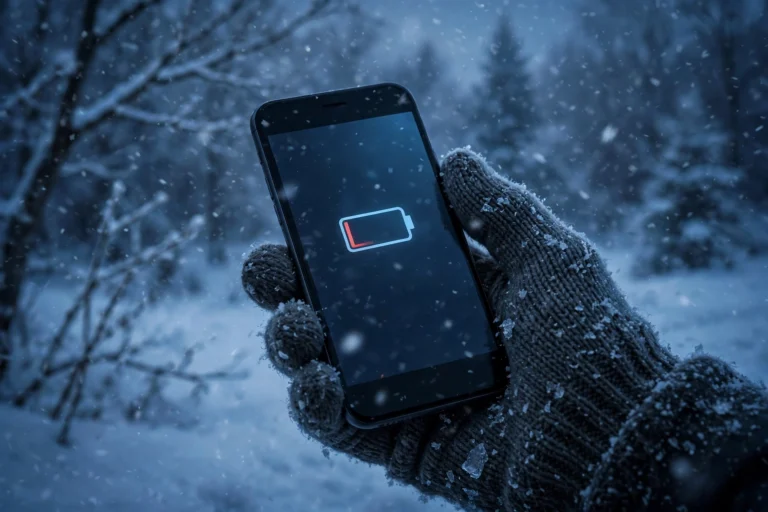
Heat is not the only weather problem for phones. Cold can cause problems too, in the opposite way. If you want to understand the full picture, read about why your phone shuts down in the cold, even when battery is left. Heat slows charging and wears the battery, cold slows the battery’s chemistry and can shut the phone down. Both are signs that batteries like mild, steady temperatures best.
Frequently Asked Questions
1. Is it normal for a phone to get warm while charging?
Yes. A little warmth is normal, because charging moves energy and some energy turns into heat. A warm phone is fine. A very hot phone, too hot to hold, is a warning sign.
2. Does fast charging damage the battery?
Fast charging makes more heat, and heat can wear a battery faster over time. But modern phones control fast charging carefully and slow down when hot. Using fast charging sometimes is fine. Using it all the time, with heavy use, can age the battery faster.
3. Should I use my phone while it charges?
It is best not to, especially for games and video calls. Using the phone while charging makes two jobs at once, and heat adds up. Let the phone rest with the screen off for faster, cooler charging.
4. Is it safe to charge my phone overnight?
Usually yes, with a good charger and a phone on a hard surface, not under bedding. Use a slow charger and turn on optimised charging if your phone has it, so the battery does not sit at 100 percent all night.
5. What should I do if my phone gets very hot while charging?
Unplug it at once, move it to a cool place, and let it cool in normal air. Do not put it in a fridge. If it swells, smells, or smokes, stop using it and get help from a repair shop at once.
Closing
Your phone gets hot while charging because charging is hard work for a small battery. Energy moves, ions move, and some energy becomes heat. Fast charging, heavy use, a thick case, a bad charger, and hot weather all make that heat worse. A little warmth is normal. A very hot phone is a message: slow down, cool down, and check what is wrong.
The fix is mostly simple habits. Use a good charger. Take the case off if the phone feels warm. Charge on a table, not under a pillow. Let the phone rest while it charges. Keep it out of direct sun. And if it ever gets very hot, swells, or smells strange, stop and get help.
Your phone is with you every day. Treat its battery kindly, and it will last longer, charge faster, and stay safer. A cool phone is a happy phone, and a happy phone is one you can rely on, day after day.