Why Your Phone Shuts Down in the Cold Even When Battery Is Left
SUMMARY OF THIS ARTICLE
- A phone that shuts down in cold weather is usually not broken, and its battery is not really empty.
- Cold slows down the chemical reactions inside a lithium-ion battery, so the battery cannot deliver power fast enough.
- When voltage drops too low, the phone shuts itself down to protect the battery and its parts.
- Warming the phone slowly usually brings the battery reading back, because the loss in the cold is mostly temporary.
- Charging a very cold phone can cause lasting damage, so it is better to warm it first and avoid charging below freezing.
Introduction: Plenty of Battery, Then Nothing
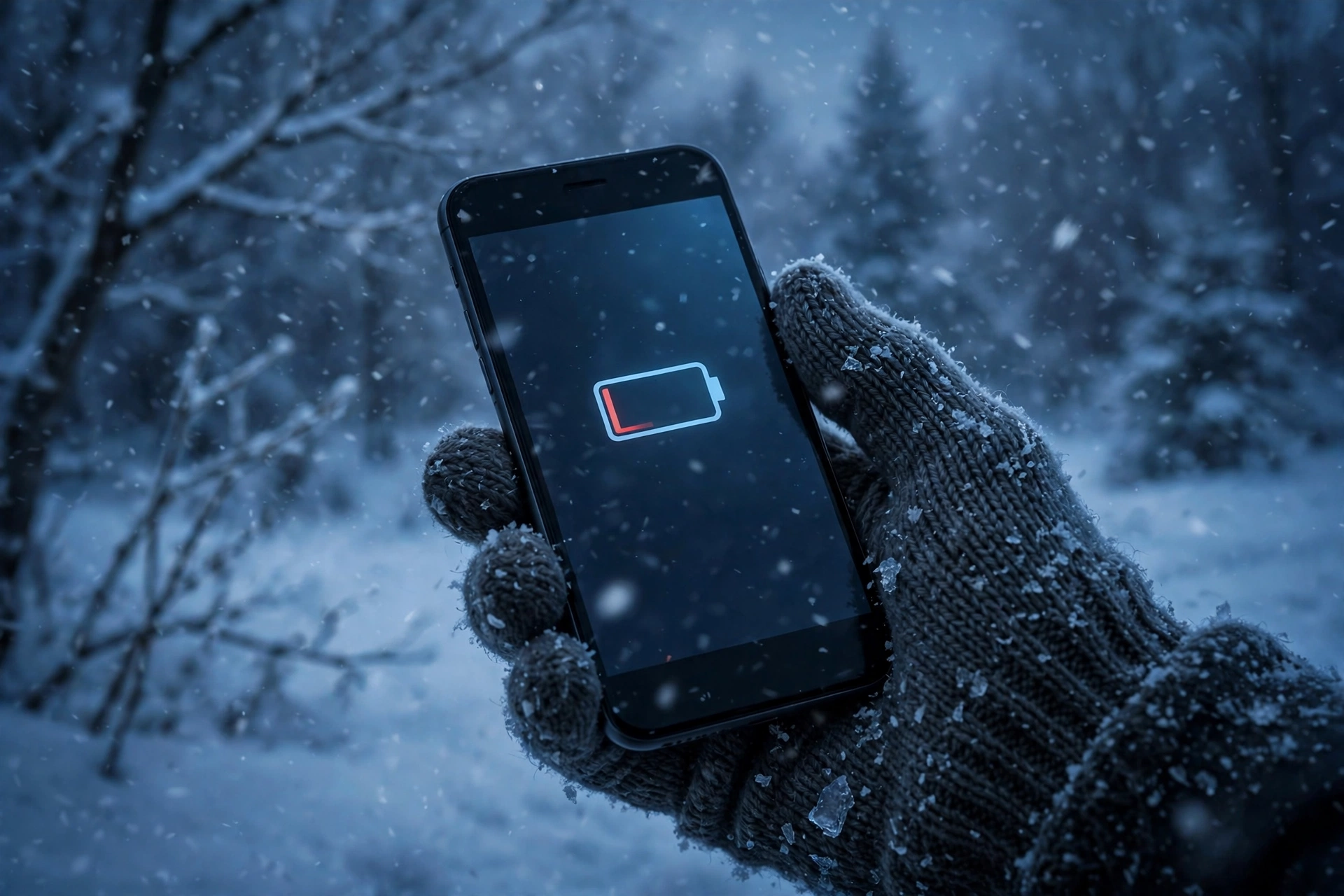
You step outside on a cold winter day. Your phone shows 40 percent battery, maybe even 60 percent. You take a photo, check a map, or answer a message, and then, without warning, the screen goes black. The phone is dead. You press the power button, and nothing happens, or a low-battery symbol appears, even though you know the battery was far from empty just a minute ago.
Later, when you go back inside and the phone warms up, something strange happens. It turns on again, and the battery is suddenly back at 30 or 40 percent. It feels like the phone was lying to you. In a way, it was not lying, but it was also not telling the full story.
This is a common winter problem, and it has a simple explanation once you understand how a phone battery works. A phone that shuts down in cold with battery left is usually reacting to the cold itself, not to a dead battery. The cold changes how the battery behaves, how much power it can deliver at that moment, and how the phone reads that power. This article explains that process in plain language, why warming the phone helps, when cold can cause real damage, and what you can do to keep your phone working in winter.
How a Phone Battery Works in Normal Weather
Almost every modern phone uses a lithium-ion battery. Inside that battery, tiny charged particles called lithium ions move back and forth between two sides. When you use the phone, ions move in one direction and release energy. When you charge the phone, the charger pushes the ions back the other way, storing energy for later use.
Between those two sides is a liquid called the electrolyte. Think of it as a road that the ions travel along. In mild weather, that road is smooth and fast. Ions can move quickly, the battery can deliver power when the phone asks for it, and the phone can run apps, take photos, and keep the screen bright without trouble.
The phone does not measure the battery like a fuel tank with a float inside it. Instead, it estimates how much charge is left, mainly by watching the battery’s voltage. Voltage is a measure of electrical pressure. When the battery is full, voltage is higher. As the battery is used, voltage falls slowly. The phone turns that voltage reading into a percentage you can understand, like 80 percent or 20 percent.
That system works well in normal temperatures. It becomes less reliable in extreme cold, because cold changes the battery’s behaviour without changing the actual amount of stored energy in the same way. That gap between stored energy and usable power is the key to the whole mystery.
What Cold Does Inside the Battery
Cold does not drain the battery in the way a bright screen or a long video call does. It does not use up the stored energy. Instead, it makes it harder for the battery to release that energy.
First, the electrolyte thickens in the cold. The road that ions travel along becomes slower and stickier. Ions move more slowly, so the battery cannot respond as quickly when the phone suddenly needs a burst of power, for example when you open the camera, load a map, or take a photo in the cold.
Second, the battery’s internal resistance rises. Resistance is a kind of friction inside the battery. When resistance is high, more energy is lost as heat inside the battery itself, and less reaches the phone’s processor, screen, and radio. The battery has to work harder to do the same job.
Third, chemical reactions slow down in the cold. Batteries are chemical devices, and cold slows chemistry down. That is why a cold battery feels weak even when it still holds charge. It is a little like trying to run when your muscles are stiff from the cold. You still have energy in your body, but you cannot use it as quickly or as smoothly as when you are warm.
All three effects happen together. The result is that a cold battery can still hold a fair amount of charge, but it cannot deliver that charge fast enough for the phone to keep running normally.
Why the Phone Thinks the Battery Is Empty
This is where voltage comes in. When a cold battery tries to deliver power, its voltage drops more sharply than a warm battery would. This is called voltage sag. Under a sudden load, such as opening the camera or searching for a signal in a cold place, the voltage can dip below the level the phone considers safe.
The phone is programmed to watch for that dip. It does not know, in that moment, whether the battery is truly empty or just cold and slow. It only sees the voltage falling to a level that looks like an empty battery. If the voltage stays low, the phone may show a low-battery warning, close apps, dim the screen, or shut down completely.
That shutdown is not a mistake. It is a safety decision built into the phone. If the phone kept trying to draw power from a battery that could not deliver it safely, the battery could be damaged, or the phone could behave unpredictably. Shutting down protects the battery, the phone’s circuits, and your data, even though it feels frustrating when it happens at the worst moment.
It also explains why the battery percentage can jump around in the cold. One minute it shows 45 percent, the next it shows 5 percent, and after warming up it shows 35 percent again. The percentage is an estimate based on voltage, and voltage in the cold is unstable. The stored energy did not vanish and reappear. The phone’s reading of it changed as temperature changed.
Why Warming the Phone Brings the Battery Back
When you bring a cold phone indoors, or slip it into a warm pocket, the battery slowly warms up. As it warms, the electrolyte thins out again, ions move more freely, internal resistance falls, and chemical reactions speed up. The battery can once again deliver power at a normal rate, and its voltage rises back toward a normal level for the charge it actually holds.
That is why the phone often turns on again after warming, and why the battery percentage looks normal again. The energy was there all along. It was just temporarily out of reach while the battery was cold.
This is also why the loss in the cold is usually temporary rather than permanent. A single cold shutdown does not normally destroy a battery. The phone shut down to prevent damage, and warming it restores normal behaviour. If the phone works normally again in mild weather, with normal battery life, the cold shutdown probably caused no lasting harm.
There is an important limit to this good news, though. Temporary loss and permanent damage are not the same thing, and repeated exposure to extreme cold, especially combined with charging in the cold, can cause problems that do not go away when the phone warms up. That is covered in the next sections.
Temporary Loss Versus Permanent Damage
Temporary loss is what most people experience in winter. The phone shuts down in the cold, warms up, and works again. Battery life in normal weather stays about the same. The battery may be a little weaker over time, as all batteries age, but the cold episode itself does not leave a clear mark.
Permanent damage is different. It happens when the battery’s internal structure is changed in a way that cannot be reversed by warming. The most important example is lithium plating, which is explained below. Other kinds of damage can come from repeated deep discharges, from leaving a phone in extreme cold for a very long time, or from a battery that was already old and weak before winter arrived.
An older battery is more vulnerable in the cold. As a battery ages, its capacity falls and its internal resistance rises even in normal weather. Add cold on top of that, and the voltage sag becomes much worse. That is why an older phone may shut down in mild cold, while a newer phone with a healthier battery keeps working in the same weather. The cold did not create the age problem, but it revealed it.
Signs that a battery may have lasting damage include a phone that drains very fast even in warm weather, shuts down repeatedly at mild temperatures, swells, or gets unusually hot during charging. Those are signs to take seriously, and they are discussed near the end of this article.
The Charging Danger: Why You Should Not Charge a Freezing Phone
Using a cold phone is annoying. Charging a very cold phone can be genuinely harmful. This is one of the most important winter tips, and it is easy to get wrong because it feels natural to plug in a phone that has just shut down.
When a lithium-ion battery is charged, lithium ions are pushed back into one side of the battery. In normal temperatures, they settle safely into the structure there. In freezing cold, that process does not work properly. Instead of settling in, some lithium can build up on the surface as a metallic layer. This is called lithium plating.
Lithium plating is a problem for two reasons. First, it permanently reduces the battery’s capacity, because lithium that is stuck on the surface is no longer available to move back and forth and deliver energy. Second, in severe cases, plating can create tiny growths that increase the risk of an internal short circuit, which can damage the battery and, in rare cases, make it unsafe.
That is why phone makers generally advise against charging a phone when it is very cold, and why many phones will refuse to charge, or charge very slowly, until the battery warms up. If your phone shows a charging warning in the cold, or refuses to charge, it is protecting itself. Do not try to force it by using a different charger or by heating the phone quickly with a hair dryer or hot water, as sudden heat can cause other problems, including condensation inside the phone.
The safe rule is simple: warm the phone slowly first, to a comfortable room temperature, and only then plug it in. If you are outside in freezing weather and your phone has shut down, wait until you are indoors and the phone feels normal to the touch before charging it.
Practical Tips to Keep Your Phone Working in Winter
You cannot change the weather, but you can reduce the effect of cold on your phone with a few simple habits. These tips do not require any special equipment, and they work for most phones.
Keep the phone close to your body. A pocket inside your coat, close to your body, is much warmer than an outside pocket, a bag, or a hand holding the phone in the air. Body heat keeps the battery closer to a comfortable temperature. If you need to use the phone outside, take it out, use it briefly, and put it back in a warm pocket rather than holding it in the cold for a long time.
Use a case, but do not rely on it alone. A case offers a little insulation, but it will not keep a phone warm for hours in freezing weather. Think of it as a light jacket, not a heater. It helps, but the pocket habit matters more.
Turn on low power mode before you go out. Low power mode reduces background activity, lowers screen brightness, and limits some features. That means the phone asks the battery for less sudden power, which reduces the chance of a voltage dip and a shutdown. It also stretches the battery while you are outside.
Reduce sudden power demands. In very cold weather, avoid tasks that demand a lot of power all at once, such as recording long videos, playing demanding games, or using the camera flash repeatedly. If you need a photo, take it quickly and put the phone away again.
Avoid leaving the phone in a cold car. A car parked overnight in winter can become as cold as the outside air, or colder. A phone left in a cold car for hours will be deeply cold when you pick it up, and it is more likely to shut down. Bring the phone inside with you.
Do not charge in the cold. As explained above, wait until the phone has warmed to room temperature before plugging it in. If you need to charge while travelling in winter, warm the phone first, for example by keeping it in an inside pocket for a while, and charge it indoors when possible.
Warm the phone slowly. If a phone has shut down in the cold, bring it indoors and let it warm up naturally. Do not put it next to a radiator, in hot water, or under a hair dryer. Sudden heat can cause condensation, which is moisture forming inside the phone, and that can damage circuits. A gradual return to room temperature is safest.
Keep software updated, but do not expect an update to fix cold shutdowns completely. Updates can improve battery management, but they cannot change the basic chemistry of a lithium-ion battery. Good habits matter more than any single setting.
What to Do If Your Phone Shuts Down in the Cold
If your phone has already shut down, do not panic, and do not keep pressing the power button repeatedly in the cold. Each attempt asks the cold battery for power it cannot deliver well, and it will not help.
First, put the phone in a warm place, such as an inside coat pocket or a warm room, and leave it alone for a while. Fifteen to thirty minutes is often enough for a mildly cold phone, but a deeply cold phone may need longer. Let it warm slowly and naturally.
Second, once the phone feels normal to the touch, try turning it on. If it turns on and the battery looks reasonable, you can use it normally, but try to keep it warm from then on.
Third, if it turns on but the battery is very low, charge it only after it has warmed up, as described above. Use the charger that came with the phone, or a charger you trust, and charge it indoors.
Fourth, if the phone does not turn on after warming up, try a normal restart procedure for your phone model, such as holding the power button for a few seconds. If it still does not turn on, or if it shows signs of damage such as swelling, a cracked battery, or an unusual smell, do not try to open it yourself. Take it to a repair shop or the manufacturer, as described in the next section.
Finally, think about what happened. Was the phone in an outside pocket for a long time? Was the battery already old? Did you try to charge it while it was still freezing? Learning from one shutdown can prevent the next one.
Android and iPhone: Are They Different in the Cold?
In general terms, Android phones and iPhones behave similarly in the cold, because they use the same basic battery technology. Both use lithium-ion batteries, both estimate battery level from voltage, and both can shut down to protect the battery when voltage falls too low.
There are some general differences in how they handle it, but they are not as large as people often think. iPhones are known for showing a temperature warning, or shutting down, when the battery is very cold, and for restoring normal behaviour after warming. Android phones from different makers handle cold in slightly different ways, because each maker sets its own thresholds for warnings, low power mode, and shutdown. Some Android phones may keep running a little longer in the cold, while others may shut down earlier, depending on the battery’s age, the phone’s design, and the software settings.
No brand is immune to cold. A new iPhone and a new Android phone will both struggle if they are left in freezing weather for a long time. An old phone of either type will struggle more than a new one. The best approach is the same for both: keep the phone warm, use low power mode, avoid charging in the cold, and let it warm slowly.
One thing to avoid is comparing a single cold shutdown across brands and concluding that one brand is faulty. Cold affects all lithium-ion batteries. If a phone works well in normal weather but shuts down only in extreme cold, the cold is the most likely cause, not a brand defect.
When to Seek Repair
Most cold shutdowns need no repair. If the phone works normally after warming up, and battery life in mild weather is normal, you can keep using it with the winter habits above.
Seek repair, or at least a battery check, if you notice any of these signs. The phone shuts down repeatedly even in mild weather, not just in freezing cold. Battery life drops very fast in normal use, for example from full to empty in a short time without heavy use. The phone or battery swells, the screen lifts, or the back cover bulges. The phone gets unusually hot while charging or during normal use. The phone will not turn on at all after warming up, even after a normal restart attempt.
A swollen battery needs special care. Do not puncture it, bend it, or try to remove it yourself if you are not trained to do so. Take it to a professional repair service, and explain that the battery may be swollen. A repair shop can check battery health, replace the battery if needed, and tell you whether the phone itself is safe to keep using.
Replacing an old battery can make a big difference in winter. A new battery has lower internal resistance and higher capacity, so it handles cold much better than an old, worn battery. If your phone is several years old and struggles in the cold, a battery replacement is often a better choice than buying a whole new phone, and it is better for the environment too.
Frequently Asked Questions
Why does my phone shut down in cold even with battery left?
Because cold slows the battery’s chemistry, thickens its electrolyte, and raises internal resistance. The battery cannot deliver power fast enough, its voltage drops sharply, and the phone shuts down to protect itself, even though stored energy remains. Warming the phone usually restores normal behaviour.
Does cold permanently damage my phone battery?
Usually not from a single shutdown. The loss in the cold is mostly temporary. Permanent damage is more likely from charging a very cold battery, which can cause lithium plating, or from repeated extreme cold exposure combined with an already old battery. Avoid charging below freezing and let the phone warm slowly first.
Why does my battery percentage go back up after warming?
The percentage is an estimate based on voltage. In the cold, voltage drops and the phone reads the battery as nearly empty. When the battery warms, voltage rises again, and the phone’s estimate returns closer to the true stored charge. The energy did not disappear and reappear; the reading changed with temperature.
Should I charge my phone when it is freezing cold?
No, it is better to wait. Warm the phone slowly to room temperature first, then charge it indoors. Charging a freezing battery can cause lithium plating, which permanently reduces capacity and, in severe cases, can make the battery unsafe. If the phone refuses to charge in the cold, it is protecting itself.
Will a new battery stop cold shutdowns?
A new, healthy battery will handle cold better than an old one, because it has lower resistance and higher capacity, but it will not make a phone immune to extreme cold. All lithium-ion batteries struggle in freezing weather. Good winter habits, such as keeping the phone in a warm pocket and using low power mode, still matter even with a new battery.
Closing: Cold Is Not the End of Your Battery
A phone that shuts down in the cold can feel like it has failed you at the worst possible moment, on a winter walk, on a trip, or when you need a map. In most cases, though, it has not failed. It has protected itself, in the only way it can, from a battery that was too cold to deliver power safely.
Understanding that difference changes how you react. Instead of assuming the battery is dead, or that the phone is broken, you can warm it slowly, keep it close to your body next time, and avoid charging it while it is still freezing. Those small habits can keep a phone working through winter, and they can protect a battery from the kind of damage that does not go away when spring arrives.
Winter will always be hard on lithium-ion batteries. With a little care, though, a cold day does not have to mean a dead phone, and a single shutdown does not have to mean a damaged battery.