What Is Wi-Fi and How Does It Reach Your Phone?
SUMMARY OF THIS ARTICLE
- Wi-Fi is a way to connect to the internet without a wire, using waves you cannot see.
- A small box called a router sends those waves around your home, and your phone picks them up.
- Your phone and the router talk back and forth, sending small pieces of information very fast.
- Walls, distance, and too many devices at once can make Wi-Fi slow or weak.
- Simple steps, like moving closer to the router or restarting it, can often fix a weak connection.
What Is Wi-Fi, in the Simplest Words?
Wi-Fi is a way to use the internet without plugging a wire into your phone. When you watch a video, send a message, or open a website on your phone at home, Wi-Fi is often the thing that makes it work.
Think of it like this. A wire is like a road that cars must drive on. Wi-Fi is like a voice that travels through the air. You do not see it, but it still carries a message from one place to another.
The word “Wi-Fi” does not really stand for a long, hard phrase. Most people just use it as the name for this kind of wireless connection. “Wireless” is a simple word. It means “without wires.” So Wi-Fi is wireless internet for the space around you, like your home, your school, or a cafe.
You do not need Wi-Fi to use a phone. A phone can also use mobile data. Mobile data is internet that comes from a phone tower far away. Wi-Fi is different. It usually comes from a small box inside your building. That box is called a router. We will talk more about the router soon.
Wi-Fi is all around us now. It helps phones, laptops, tablets, and smart TVs connect to the internet, and lets many devices share one connection in the same home.
The Big Idea: Invisible Waves Carry Information
So how can something you cannot see carry a video to your phone? The answer is waves.
Wi-Fi uses a kind of wave called a radio wave. A radio wave is a wave of energy that moves through the air. You cannot see it, just like you cannot see the sound of a song moving through a room. But it is real, and it can carry information.
Here is a simple way to picture it. Imagine you and a friend are in a big field. You wave a flag in a code. One wave means “yes.” Two waves mean “no.” Three waves mean “come here.” Your friend watches and reads the code. Wi-Fi works in a similar way, only much, much faster and with a much richer code.
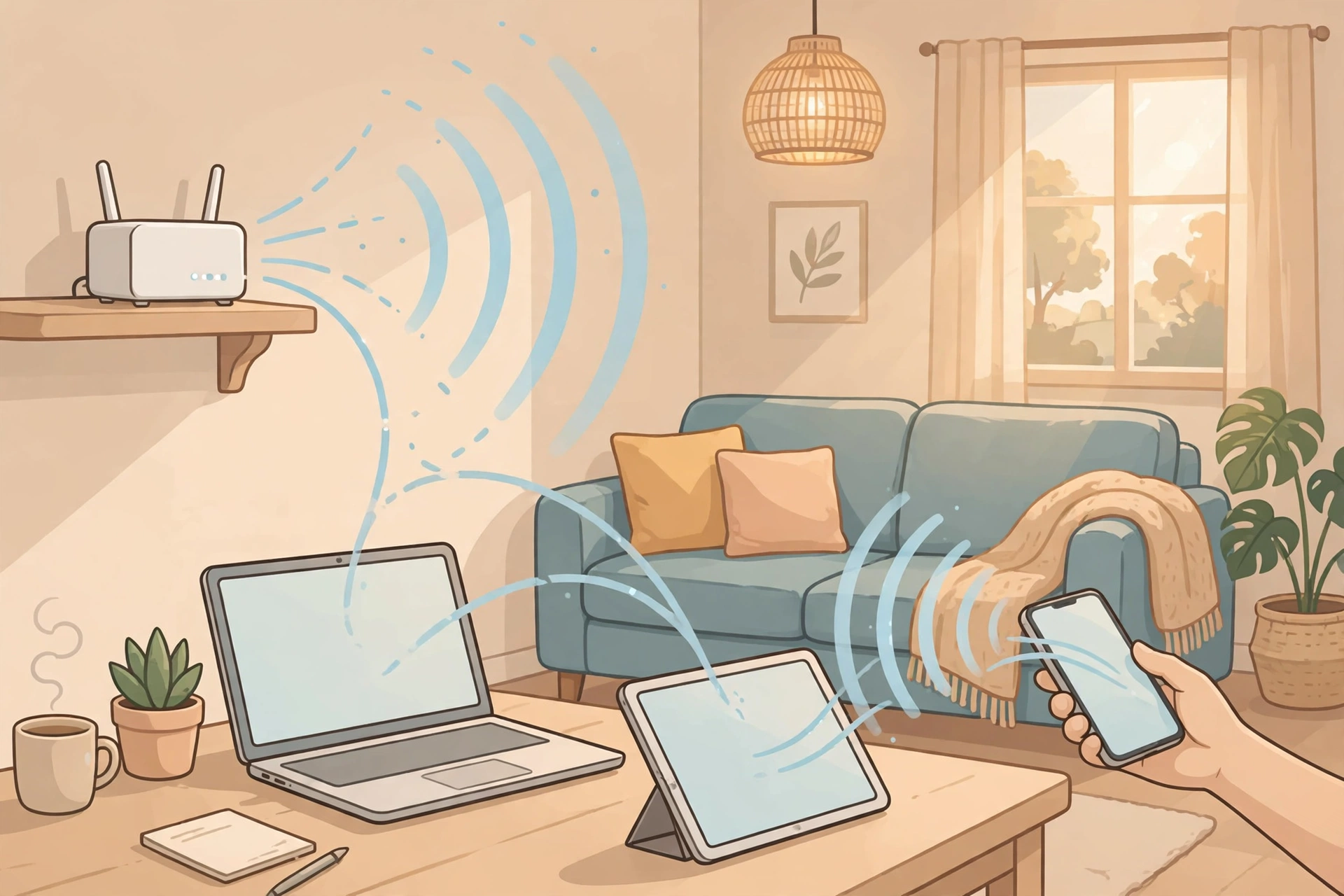
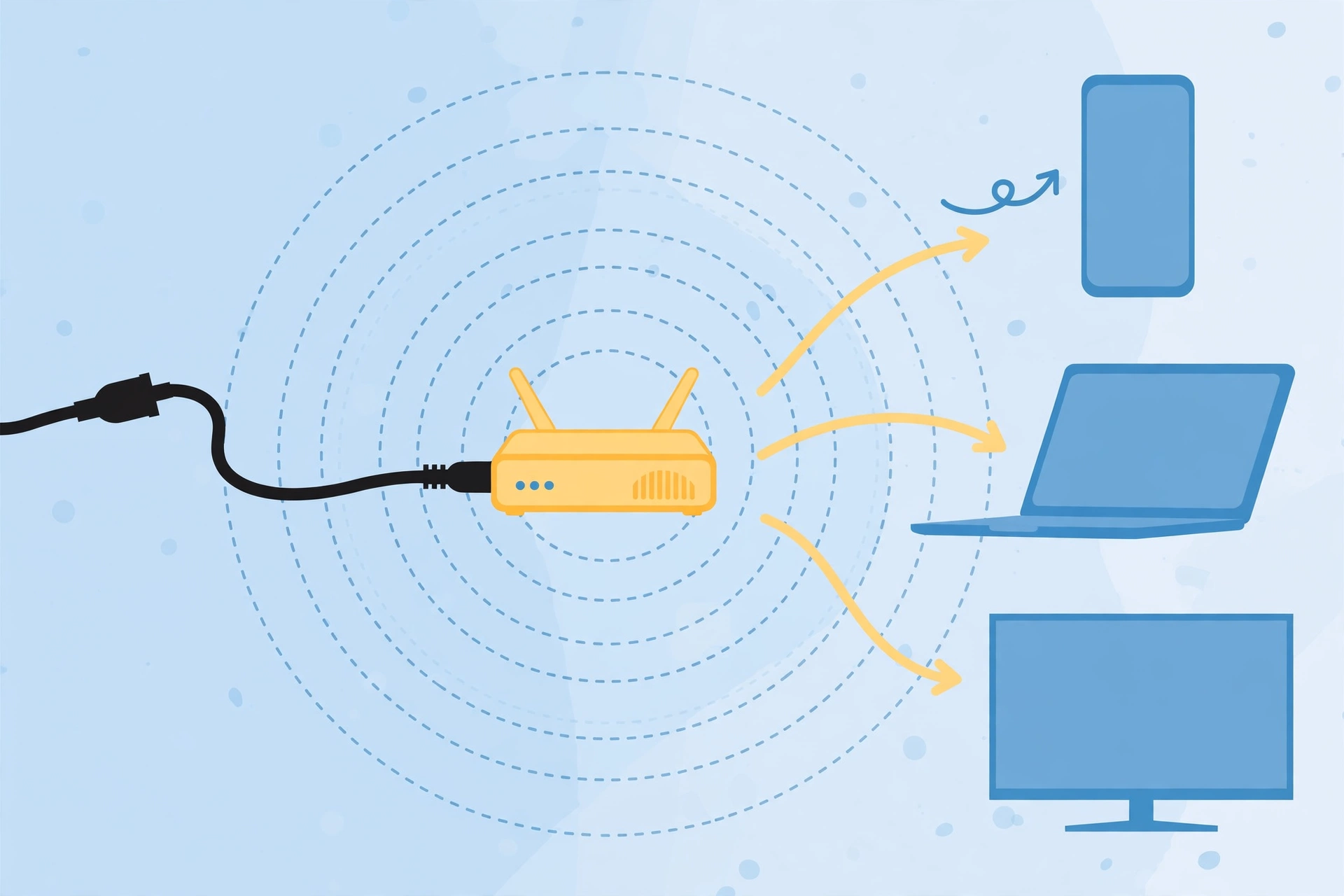
The router sends out radio waves in a code. Your phone reads that code and turns it back into pictures, words, sounds, and videos. Then your phone sends its own coded waves back to the router. That is how you can ask for a page, and the page comes back to you.
These waves move at the speed of light. Light is the fastest thing we know. It moves so fast that a wave can cross your room in less time than it takes to blink. That is why a video can start almost at once when you tap play.
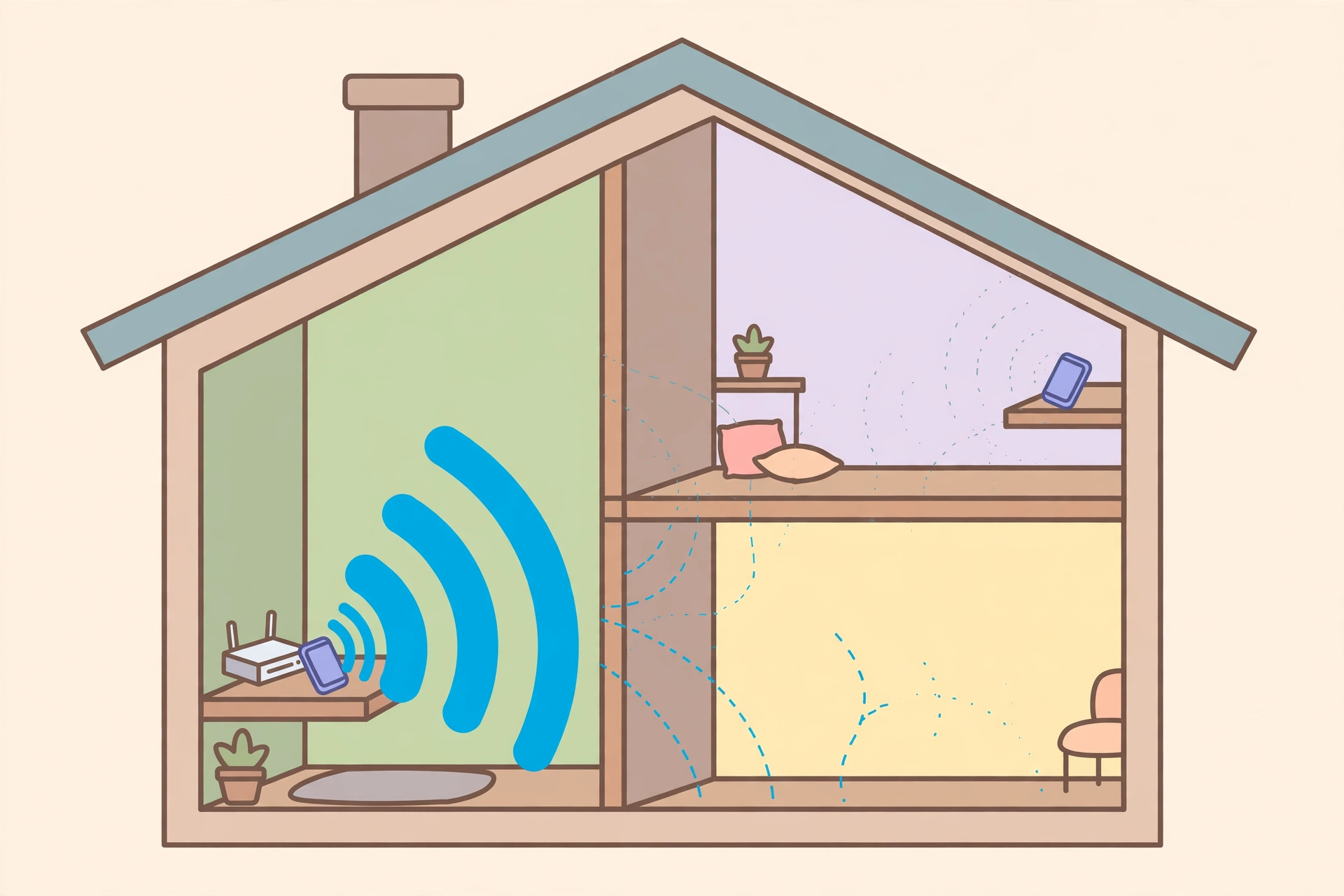
But there is one catch. The waves get weaker as they travel farther. They also get weaker when they pass through walls, floors, and big pieces of metal. That is why Wi-Fi is often strong near the router and weak in a far room. We will come back to this later.
Meet the Router: The Small Box That Does the Big Job
The router is the heart of home Wi-Fi. It is a small box, often with little lights on the front and one or two sticks, called antennas, on top. An antenna is a part that helps send and catch waves.
The router has two main jobs. First, it connects to the internet through a wire from outside. Second, it shares that connection through the air.
Think of the router as a teacher in a classroom. The teacher speaks, and all the students listen. When a student has a question, the student speaks, and the teacher listens. The router is like that teacher. It talks to many devices, one at a time, but so fast that it feels like it talks to all of them at once.
Your router also has a name. That name is called an SSID, but you do not need to remember that hard word. On your phone, when you look for Wi-Fi, you see a list of names. Each name is one Wi-Fi network. Your home network has a name, like “HomeWiFi” or a name your family picked. When you tap that name and type the password, your phone joins that network.
A password is important. It keeps strangers from using your Wi-Fi and slowing your connection down. So keep your Wi-Fi password private, just like the key to your house.
The Journey: How Wi-Fi Reaches Your Phone, Step by Step
Now let us follow one simple action: you tap a video on your phone. What happens, step by step?
Step 1: Your phone asks. When you tap the video, your phone makes a small request. The request says, in code, “Please send me this video.”
Step 2: Your phone sends the request through the air. Your phone has its own tiny antenna inside it. It turns the request into radio waves and sends them to the router.
Step 3: The router receives the request. The router catches the waves, reads the code, and understands the request.
Step 4: The router sends the request out to the internet. The router uses its wire connection to send the request to the wider internet. The request travels through wires and big computers until it reaches the computer that holds the video. That big computer is called a server. A server is just a powerful computer that stores things and shares them with others.
Step 5: The video comes back in small pieces. The server does not send the whole video at once. It breaks it into tiny pieces, called packets. A packet is like one page of a long letter. Each packet travels back through the internet to your router.
Step 6: The router sends the packets through the air. The router turns the packets back into radio waves and sends them to your phone.
Step 7: Your phone puts the pieces together. Your phone catches the waves, reads the packets, and puts them in the right order. Then it shows you the video.
All of this happens in a blink. You tap, and the video starts. You do not see the waves, the packets, or the server. You just see the video. But behind that simple tap, a whole team of parts worked together very fast.
This back-and-forth happens all the time while you use Wi-Fi. When you scroll, send a message, or load a photo, your phone and the router keep talking in this quick, coded way.
Why Your Phone Can Find Wi-Fi So Easily
Your phone is always ready to listen for Wi-Fi, if you turn Wi-Fi on. In your phone settings, there is a Wi-Fi switch. When it is on, your phone listens for routers nearby.
Routers send out a quiet call again and again. The call says, “I am here. My name is this.” Your phone hears that call and shows the name in your Wi-Fi list. When you tap the name and type the password, your phone and the router agree to talk to each other.
After the first time, your phone often remembers the network. The next time you come home, it joins by itself. That is handy, but be careful with public Wi-Fi in cafes or airports. A public network is one that anyone can join. It is fine for simple things, but it is safer not to open bank apps or type private passwords on a public network you do not trust.
The Two Main Wi-Fi Roads: 2.4 GHz and 5 GHz
You may have seen two Wi-Fi names that look almost the same, except one ends in “2.4G” and the other ends in “5G.” These are two different roads for Wi-Fi waves. “GHz” is a short way to say how fast the waves move up and down. You do not need to remember the number. Just know what each road is good at.
The 2.4 GHz road goes farther. Its waves can pass through walls a little better. That makes it good for a far room or a big house. But it is slower, and many old devices use it, so it can get crowded.
The 5 GHz road is faster. It can carry more information at once, which is great for videos and games. But its waves do not travel as far, and they have a harder time passing through walls. That makes it best when you are near the router.
Some new routers also have a third road, called 6 GHz. It is even faster, but it works over a short distance. Think of it like a fast sports car that is best on a short, clear road.
Many modern routers pick the best road for you by themselves. They show one name, and they move your phone between roads without you noticing.
What Makes Wi-Fi Fast or Slow?
Wi-Fi speed depends on a few simple things.
First, your internet plan. Your family pays for an internet plan, and that plan has a speed limit. If the plan is slow, Wi-Fi cannot go faster than that plan, no matter how good the router is.
Second, distance. The farther you are from the router, the weaker the waves. Weaker waves mean slower speed and more waiting.
Third, walls and objects. Thick walls, floors, metal doors, and even a big fish tank full of water can weaken waves. A router hidden inside a closed cupboard will also have a harder time. That is why experts often say to put the router in an open, central spot, not hidden away.
Fourth, the number of devices. If ten devices are watching videos at the same time, they all share the same Wi-Fi. Each one gets a smaller share, so each one may feel slower. It is like ten people sharing one pizza. Each slice gets smaller.
Fifth, interference. Interference means other waves getting in the way. Your neighbor’s router, a microwave oven, and some wireless speakers can all make waves that crowd the air. When the air is crowded, your Wi-Fi has to wait its turn, and that causes delay.
Sixth, the device itself. An old phone may not be able to read fast Wi-Fi as well as a new phone. A phone with a low battery may also slow down to save power. If you have ever wondered why your phone gets hot while charging, heat and power use are linked to how hard your phone works, and Wi-Fi work is part of that.
So if your Wi-Fi feels slow, do not blame one thing at once. Check the simple things first: how far you are, how many devices are online, and where the router sits.
Why Does Wi-Fi Sometimes Drop or Disappear?
A Wi-Fi drop means your phone loses its connection for a short time. It can be annoying, especially in the middle of a video call. Here are the most common reasons, in plain words.
The router may have restarted or lost power for a moment. A short power cut can break the connection, and your phone may take a few seconds to join again.
You may have walked too far away. If you walk to the garden or the far end of a big house, the waves may become too weak for your phone to hear.
Too many devices may be connected at once. At busy times, like in the evening when everyone is home, the router has more work to do, and some devices may drop off for a moment.
The router may be too hot or too old. Like any machine, a router can get tired. If it is very old, it may not handle many new devices well.
Software can also cause trouble. Software is the set of instructions inside a device. If the software has a small fault, a restart often fixes it. That is why the first advice for many Wi-Fi problems is simple: turn the router off, wait 30 seconds, and turn it back on. It sounds too simple, but it often works, because it gives the router a fresh start.
If drops happen often, try moving closer to the router, or ask an adult to check the router’s position and settings. You do not need to open the router or touch its wires. Just changing its spot can help a lot.
Wi-Fi and Mobile Data: What Is the Difference?
Many people mix up Wi-Fi and mobile data. They both give you the internet on your phone, but they come from different places.
Wi-Fi comes from a router near you. It usually has no strict limit on how much you use at home, and it often feels faster for videos because the router is close.
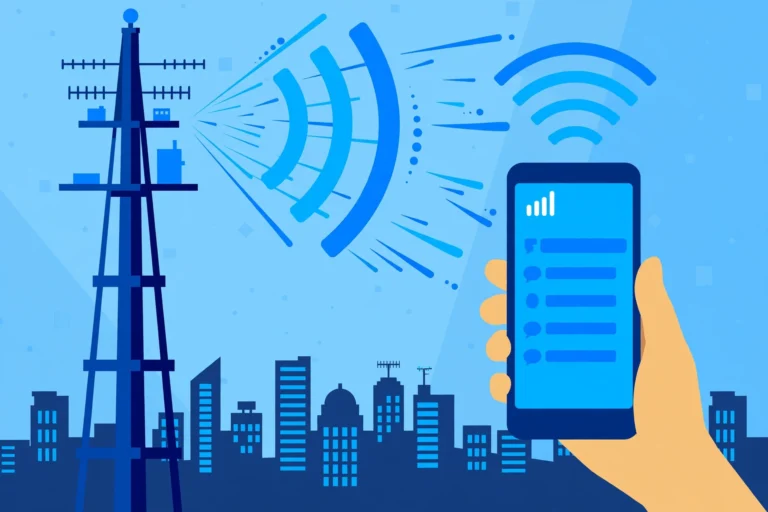
Mobile data comes from a phone tower. A tower is a tall structure with antennas on top, often far away on a hill or a building roof. Your phone talks to that tower through waves, too, but over a much longer distance. Mobile data is great when you are out and about, but it often has a monthly limit. If you use too much, it can slow down or cost extra.
Your phone picks one at a time for the internet. When Wi-Fi is on and connected, your phone usually uses Wi-Fi. When you leave home and Wi-Fi fades away, your phone switches to mobile data, if mobile data is on. That switch is why you can keep watching or chatting as you walk out the door, though sometimes there is a short pause.
A useful tip: if you plan to watch a lot of videos, do it on Wi-Fi at home when you can. It saves your mobile data for when you really need it outside.
Is Wi-Fi Safe? Simple Facts Without Fear
People sometimes ask if Wi-Fi waves are harmful. Here is the calm, simple fact: Wi-Fi uses radio waves, and those waves are very low in power. They are not the same as the strong rays used in some medical machines. Scientists around the world have studied radio waves for many years, and the Wi-Fi levels used in homes are far below the safety limits set by experts.
That does not mean you should worry about the router in your room. The waves get weaker very fast with distance, and a router sends out only a small amount of power, much less than a phone tower.
The bigger safety question for Wi-Fi is about privacy, not about waves. Only join networks you trust, keep your home password private, and use strong passwords for your important accounts.
Simple Tricks to Make Your Wi-Fi Better
You do not need to buy anything fancy to improve Wi-Fi. Try these simple steps first.
Put the router in the middle of your home, if you can, on a shelf or table, not on the floor and not inside a closed cupboard. High up is often better than low down, because waves spread out and down more easily.
Move closer to the router for big tasks, like a video call or a large download. A download is when your device saves a file from the internet.
Restart the router once in a while. Turn it off, wait 30 seconds, and turn it back on. This clears small faults.
Turn off Wi-Fi on devices you are not using. If an old tablet is still connected and updating apps in the background, it uses a share of your Wi-Fi.
Ask family members not to start big downloads all at the same time, if the connection feels slow. A little planning helps everyone.
If one far room always has weak Wi-Fi, a Wi-Fi extender can help. An extender is a small device that catches the router’s waves and sends them on farther, like a relay runner passing a baton. You plug it in halfway between the router and the far room. It is not magic, but it can make a real difference.
Finally, remember that where your photos go when you upload them to the cloud also depends on a good connection. A weak Wi-Fi signal can make uploads slow or fail, even when your phone itself is fine.
Wi-Fi in Daily Life: More Than Just Phones
Wi-Fi is not only for phones. It quietly helps many parts of daily life.
At home, Wi-Fi lets a smart TV stream films, a speaker play music, and a printer print from any room.
Wi-Fi also helps devices talk to each other without the wider internet. For example, you can send a photo from your phone to a TV on the same Wi-Fi network. The devices find each other through the router.
In the future, Wi-Fi will keep getting faster and smarter. New versions will handle more devices at once, which matters because homes now have more connected things than ever. The basic idea will stay the same, though: a router sends coded waves, and your devices read them.
So the next time you tap a video and it starts in a second, you will know what really happened. A small box in your home turned a request into invisible waves, sent it out through wires to a faraway computer, and brought the answer back through the air to your hand. That is Wi-Fi: simple to use, and quietly clever underneath.
Frequently Asked Questions
1. What is Wi-Fi in one sentence?
Wi-Fi is a way to connect phones, laptops, and other devices to the internet without a wire, using invisible radio waves sent by a router.
2. Do I need a wire at all for Wi-Fi?
Your phone needs no wire, but your home usually still needs one wire coming in from outside. That wire brings the internet to the router, and the router shares it through the air. So the last step to your phone is wireless, even if the first step uses a wire.
3. Why is Wi-Fi fast near the router and slow far away?
Radio waves get weaker as they travel and as they pass through walls and floors. Near the router, the waves are strong and clear, so information moves fast. Far away, the waves are weak, so your phone gets less information at a time, and things load more slowly.
4. Is Wi-Fi the same as the internet?
No. The internet is the huge worldwide network of computers and information. Wi-Fi is just one way to connect to that network, over a short distance, without a wire. Think of the internet as a big library, and Wi-Fi as the door you walk through to enter that library from your home.
5. Can too many devices slow down Wi-Fi?
Yes. All devices on one Wi-Fi network share the same connection. When many devices stream videos, play games, or download files at the same time, each device gets a smaller share, and everything can feel slower. Turning off devices you are not using can help.
Closing
Wi-Fi feels like magic because it is invisible. You tap, and a video appears. You send a message, and it arrives in a second. But behind that magic is a simple, clever system: a router, radio waves, and a phone that knows how to read them.
Now you know the main parts: what a router does, how waves carry information in small pieces, why distance and walls matter, and why Wi-Fi and mobile data are not the same thing.
The next time your Wi-Fi feels slow, you will not just stare at the loading sign. You will know where to look first: the router’s spot, your distance from it, and how many devices are sharing it. That small bit of knowledge makes you not just a user of Wi-Fi, but someone who understands it.
More from Zorium Daily
- Why Your Phone Gets Hot While Charging
- Where Your Photos Go When You Upload Them to the Cloud
- Why Your Phone Shuts Down in the Cold Even When Battery Is Left
- What Happens When You Delete a File? Is It Really Gone?
- Browse more in the Technology archive, and learn more about the site on the About Us page.