Why Does Wi-Fi Get Slow at Night?
SUMMARY OF THIS ARTICLE
- Wi-Fi often feels slow at night because many people in your home, and in your street, use the internet at the same time.
- Your router shares one internet link with every phone, TV, laptop, and smart device in your home, so more devices mean less speed for each one.
- Big night jobs, like video streaming, game downloads, and cloud backups, use a lot of data and can crowd out everything else.
- Walls, distance, heat, old routers, and wrong settings can also make a good link feel weak and slow.
- Simple steps, like moving your router, restarting it, and moving big downloads to later, can often make nights much better, and this article shows you how, step by step.
Why Does Wi-Fi Get Slow at Night?
Night is the busiest time for home internet. People come home from work and school. They turn on the TV. They pick up their phones. They play games. They talk to friends on video calls. They watch films and short videos. All of that happens at the same time, in many homes, on the same streets. That is why nights can feel slow, even when days feel fine. Read more simple Technology stories like this one.
What Is Wi-Fi, in Simple Words?
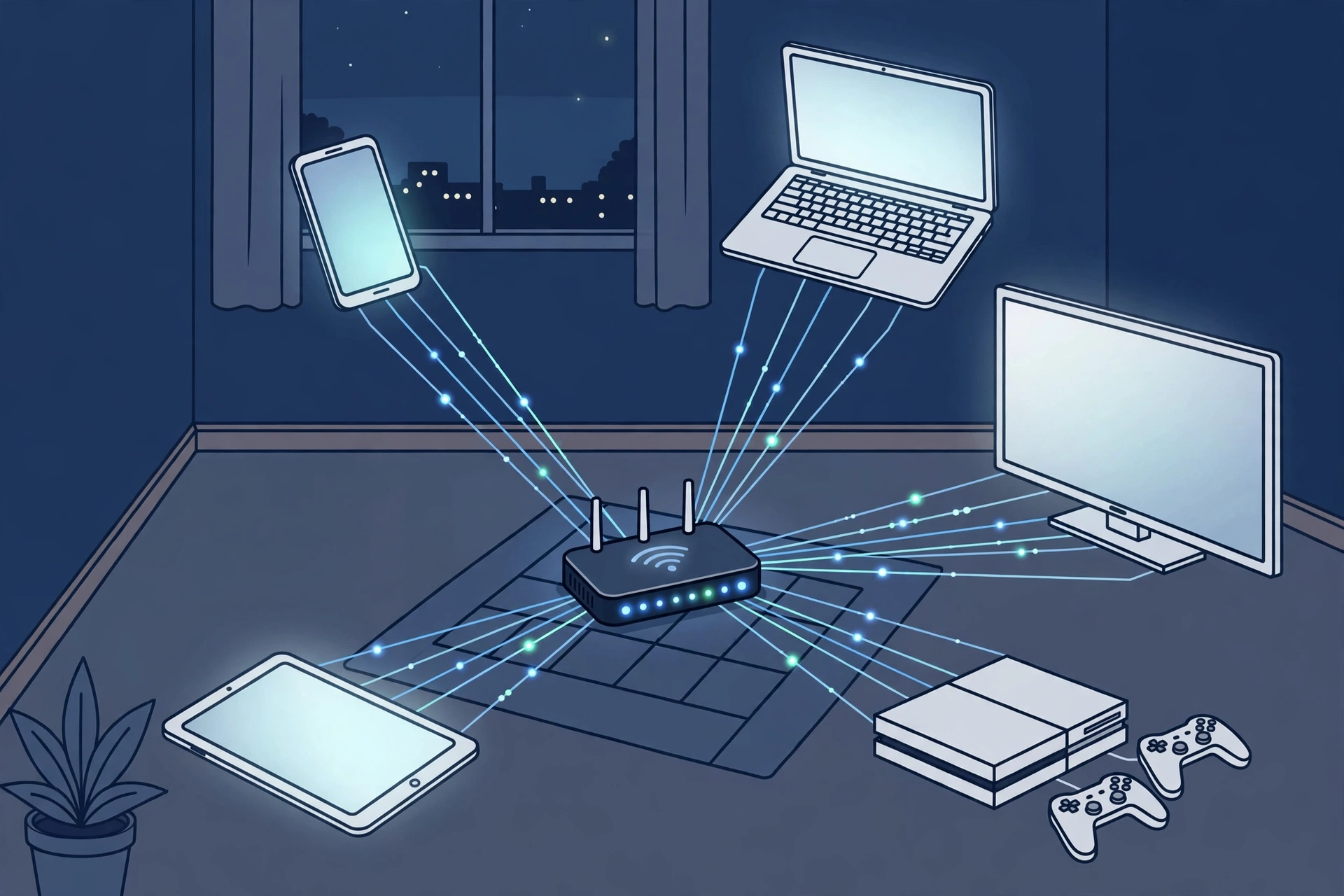
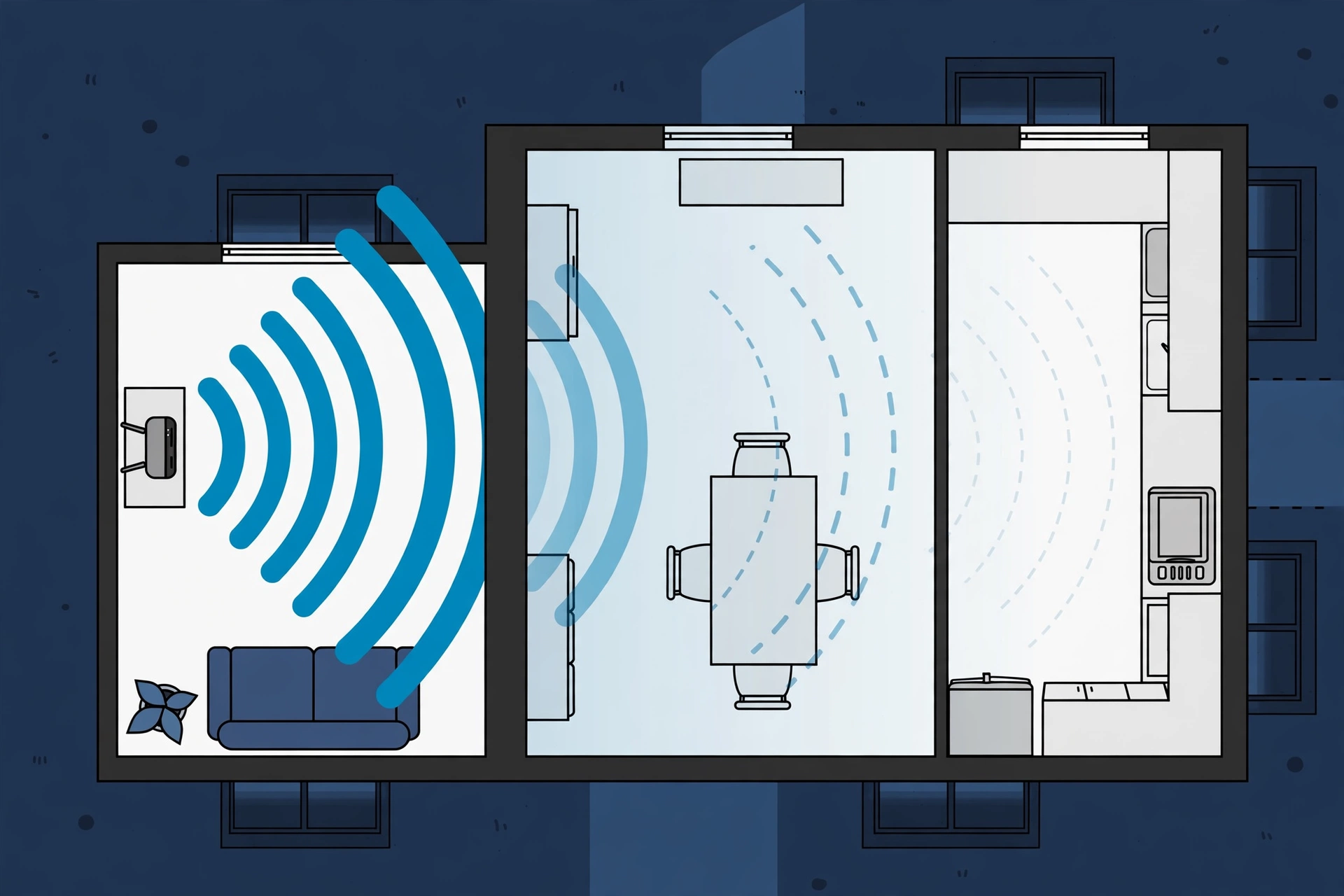
Wi-Fi is a way to send internet through the air, inside your home. Think of your router as a small radio station. It sits in one room. It talks to your phone, your laptop, your TV, and your tablet, without wires. It uses invisible waves to carry data back and forth.
Your router also has a link to the outside world. That link comes through a cable, or a fibre line, from your internet company. The company is often called your provider. Your router shares that one outside link with all your devices.
Here is a simple picture. Imagine one water pipe into your home. If one person takes a shower, the water is strong. If five people take showers, cook, and wash clothes at the same time, the water pressure drops for everyone. Wi-Fi works in a like way. One link, many users, less speed for each user.
Reason 1: Everyone in Your Home Uses the Internet at Once
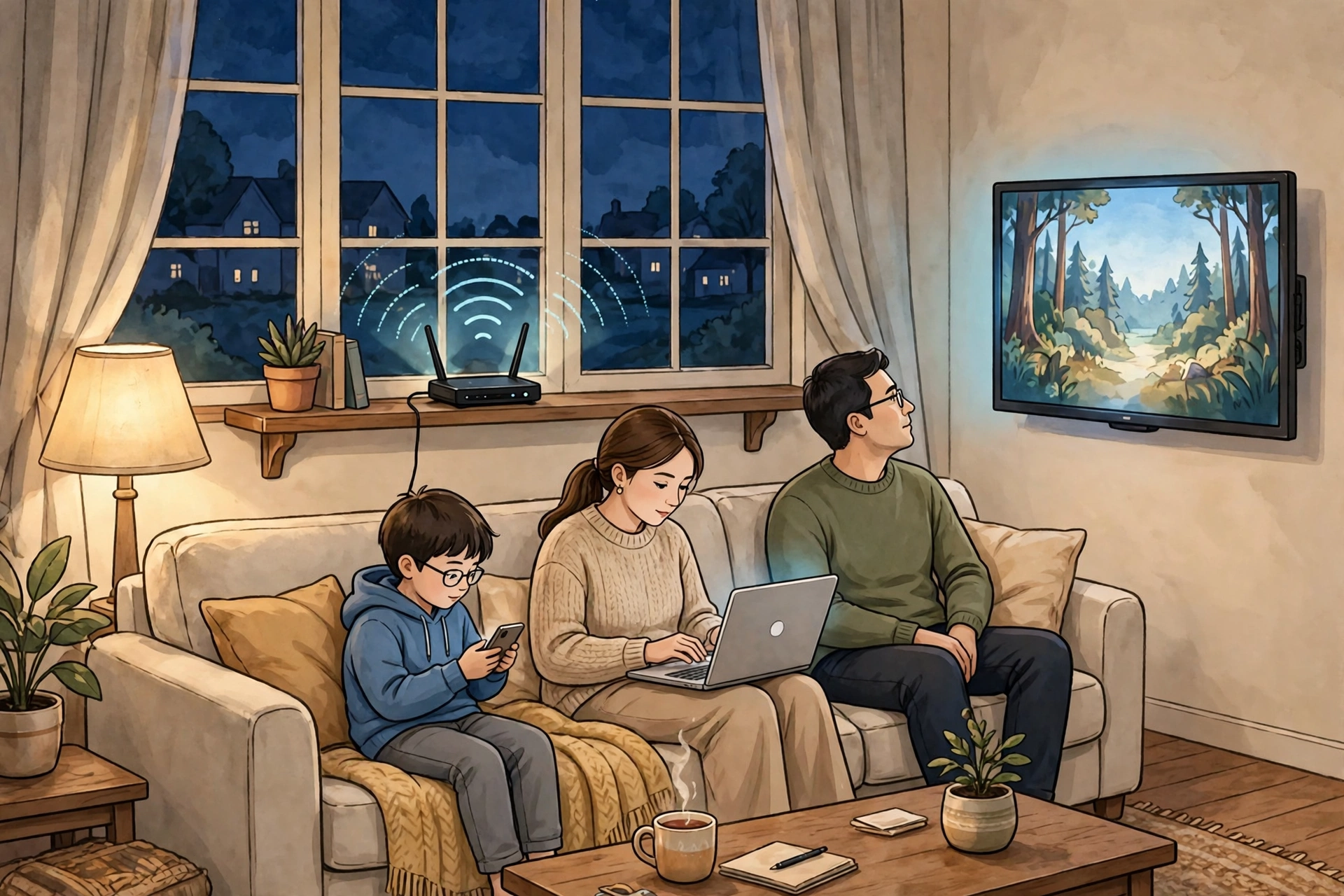
The first reason is the simplest. At night, your whole family is home. In the day, people are out. At night, they are all online. One person may watch a film on the TV. Another may watch short videos on a phone. A third may play an online game. A fourth may join a video call. A smart speaker may play music. Each job takes a share of your internet.
Video takes the most. A high-quality film needs a steady stream of data, second after second. If the stream breaks, the film stops to load more. That is called buffering. Games need less data, but they need it fast, with no delay. Video calls need a steady flow in both ways, up and down. When all these jobs run at once, your router must split its time and its speed.
Phones add to the load in a quiet way. A phone may not look busy, but it can still be at work. It may back up photos. It may update apps. It may download new shows. All of that uses Wi-Fi, even if the screen is dark.
A weak Wi-Fi link can also drain a phone fast. When the signal is weak, the phone works harder to stay linked, and that can wear down your phone battery much faster than normal. A phone that works hard can also get warm, which is why you may notice your phone gets hot when it streams for a long time. Heat and hard work often go together.
Reason 2: Your Whole Street Gets Busy Too
Your home is not alone. Your street and your town also get busy at night. Many homes share parts of the same network. Your provider runs cables to your area. Those cables carry data for many homes at once. In the day, some homes are empty, so there is more room. At night, almost every home is online. The shared part of the network fills up, just like a road at rush hour.
Think of traffic on a road. In the morning, cars move fast. At five in the evening, the same road is full, and every car moves slow. Your internet can feel the same. The road has not changed. The number of cars has.
Roads also have rules. In some places, people drive on the left side of the road. In other places, they drive on the right. The rule helps cars share the road in a safe way. Internet networks have rules too. They try to share fairly. But when too many homes ask for video at once, fair sharing still means less speed for each home.
Wi-Fi itself can also get crowded in the air. Your router talks on radio channels, like radio stations on a dial. Your neighbours use the same channels. If ten routers in one building all use the same channel, they must wait for each other. That waiting feels like slowness to you. This is worse in flats and close houses, where routers are close together. That is why your Wi-Fi may be fast at three in the morning, but slow at nine at night. At three, most people sleep. At nine, most people stream.
Reason 3: Your Provider May Slow Busy Times
Sometimes, your provider also plays a part. Some internet plans have a speed limit. You may pay for a plan that says “up to” a certain speed. The words “up to” matter. That speed is the best case, not a promise for every minute. At busy times, your real speed can be lower.
Some providers also manage traffic at peak times. That means they slow down some kinds of data, like large video streams, so that everyone can still use basic services like mail and web pages. They do this to keep the whole network from falling over. It can help the network, but it can feel unfair when your film keeps stopping.
Other plans have a data cap. A data cap is a monthly limit on how much data you can use. If you pass the cap, your speed may drop for the rest of the month. Night streaming uses a lot of data, so a family can reach a cap faster than they think. If your speed drops near the end of the month, and stays low, check your plan.
Much of the internet also travels a long way to reach you. Data moves through cables under streets, under fields, and under the sea. It is a bit like a great underground river made by people: a hidden system that carries something vital over a long distance. When many people draw from that system at once, the flow at the end can feel weaker.
Reason 4: Night Jobs You Cannot See
Not all night internet use is on a screen. Some of it runs in the background, where you cannot see it. These hidden jobs are a big reason nights feel slow.
First, there are updates. Phones, laptops, game consoles, and smart TVs often update at night. Makers pick night hours because they think you are asleep. An update can be very large, sometimes bigger than a whole film. If two or three devices update at the same time, your Wi-Fi can crawl.
Second, there are backups. Many phones back up photos and videos to the cloud at night, when they charge. The cloud is just other computers far away that store your files for you. To learn more, read about where your photos go when you upload them to the cloud. A backup of hundreds of photos takes time and data. If it starts while you watch a film, both jobs must share the same link.
Third, there are smart home devices. A smart TV, a smart speaker, a doorbell camera, and a baby monitor may all use Wi-Fi. Each one uses only a little data. But together, they add up. A camera that sends video all night uses much more than a smart light.
Fourth, there are downloads. Game consoles and computers often download new games at night. A game can be huge. One big download can fill your link for hours, and leave little room for a simple video call. Check for these hidden jobs. On a phone, look at settings for backups and app updates. On a game console, look at your download queue. If you find a big job running at nine at night, pause it until later. That one step can free up a lot of speed.
Also, remember that deleting files on your phone does not free up Wi-Fi speed. When you learn what happens when you delete a file, you see that the file may still sit in storage for a while. If your phone is full, it can feel slow in other ways, but that is a different kind of slow. For Wi-Fi, the key question is: what is using data right now? Still, it is worth keeping some free space. A simple guide to phone storage can help you make room without losing your photos.
Reason 5: Walls, Distance, and Where Your Router Sits
Even with a fast plan, Wi-Fi can be slow in some rooms. That is because Wi-Fi waves must travel through your home, and homes get in the way. Wi-Fi waves are a kind of radio wave. Like light, they get weaker as they travel. Like sound, they get blocked by thick things. A router in one corner of a house may give a strong signal nearby, but a weak signal two rooms away, behind brick walls, metal doors, and large furniture.
Water also blocks Wi-Fi a little. A fish tank and a bathroom can weaken the signal. Metal blocks it more. A router hidden inside a metal cabinet, behind a TV, or under a pile of books will struggle. A router on the floor, in a corner, will also struggle, because its waves must fight their way out.
At night, this gets worse for a simple reason: you move. In the day, you may sit near the router. At night, you may lie in bed, far from the router, with a wall and a door between you and it. You may also close doors for quiet and privacy. Each closed door makes the signal a little weaker. The video that played fine near the router now stops in the bedroom.
Think of light in nature for a moment. Fireflies make their own cold light at night, and you can learn how fireflies make light without heat. Wi-Fi is not light, but it is also a wave that travels through air. Like light, it fades with distance. Like light, it is blocked by walls. The farther you are from the source, the weaker it gets. That one idea explains a lot of bedroom Wi-Fi problems. The fix is often free. Move your router to a central, open spot, high up, with no walls or metal around it.
Reason 6: Heat, Old Routers, and Wrong Settings
Routers are small computers. Like all computers, they can get tired, hot, and out of date. Heat is one cause. A router that sits in a warm corner, on top of another hot device, can overheat. A hot router may drop its speed to protect itself, or it may restart on its own. If your router feels very hot to touch, give it air. Move it away from other hot devices. Do not cover it with cloth.
Age is another cause. An old router may use old Wi-Fi rules that are slower than new ones. New phones can talk fast, but an old router can only talk slow. It is like a fast runner tied to a slow partner. They must move at the slow partner’s pace. If your router is more than five or six years old, it may be holding back a fast plan.
Settings also matter. Most routers can use two bands: 2.4 GHz and 5 GHz. Think of them as two roads. The 2.4 GHz road goes farther and through walls better, but it is slower and more crowded. The 5 GHz road is faster and less crowded, but it does not go as far. If your device sits far away, it may need the long road. If it sits near the router, it will do better on the fast road. You do not need to master this. Just know that the two roads exist.
On very cold nights, devices can also act in strange ways. A phone left in a cold room may shut down even when it still has battery left. That is a phone problem, not a Wi-Fi problem, but it can feel like one at night. If your phone dies in the cold, warm it up slowly indoors, and charge it before you judge your Wi-Fi.
Why Nights Feel Worse Than Days
At night, all these small causes happen at once. One cause alone may not slow you much. Five causes together can make video unwatchable. Nights also follow a weekly pattern. Weekends are often worse than weekdays, because more people stay home and stream films together. Friday and Saturday nights are peak times in many areas.
Time itself shapes our nights. Long ago, people had to measure the night without clocks, and you can read how ancient people measured an hour without modern tools. Today, we measure nights in shows watched and calls made. But the pattern is the same. Night is when people rest, gather, and share stories. Now, those stories travel as data, and they all travel at once.
Even the sky marks the change. On a clear evening, the Moon can look big and orange near the horizon. It is a sign that night has come, and that most people are now home. A week has seven days, and each day has its own night crowd. If you track your speed for a week, you will see the pattern, and you can plan around it. We also yawn more when we are tired at night.
Is It Your Device, or Your Network?
Before you buy anything, find out where the problem lives. Try another device. Play the same video on a phone, then on a laptop, in the same room, at the same time of night. If both are slow, the problem is likely your network or your plan. If only one is slow, the problem is likely that device. That device may be old, full, hot, or busy with updates.
Try a wire, if you can. Plug a laptop into the router with a cable for a few minutes. A wired link skips Wi-Fi waves and walls. If the wired link is fast, but Wi-Fi is slow, your Wi-Fi setup is the problem. Move the router, or add a Wi-Fi booster. If the wired link is also slow, your outside link or your provider is the problem. That is a fact you can report to your provider.
Test at different times. Use a free speed test site or app. Test in the morning, in the afternoon, and at nine at night, from the same spot. Write down the three numbers. If night speed is much lower, you have proof of peak-time crowding. If speed is low all day, you may need a faster plan, or a router fix.
Smart devices add a new twist. A smart speaker may use AI tools to answer questions and play music. Some people wonder if AI can dream like humans, and others ask if AI can forget what it learned. For Wi-Fi, the simple point is this: smart devices need the internet to work well. When they cannot reach their servers fast, they pause or give wrong answers. If your smart speaker works fine in the morning but stumbles at night, it is probably feeling the same night crowd as your TV.
Simple Fixes You Can Try Tonight
Try these steps one by one. After each step, test your video again. Stop when it feels good enough.
Second, move your router. Put it in a central room, on a shelf, out in the open, away from metal, water, and other hot devices. Keep it off the floor. If you can, keep bedroom doors open when you stream. One better spot can lift speed in the whole home.
Third, cut the night crowd in your own home. Pause big downloads and backups until after midnight, or until the morning. Set game consoles to update later. Set phones to back up only when you are asleep and not streaming. Ask family members to avoid starting a huge download right when someone else starts a video call.
Fourth, lower video quality for a while. Most video apps let you pick quality. High quality looks great, but it needs a lot of data. Medium quality still looks good on a phone or a small TV, and it needs far less data. On a very busy night, medium quality can be the difference between a smooth film and a film that stops every minute.
Fifth, use a wire when it matters most. If you join an important video call, plug your laptop into the router with a cable if you can. A wire is steady. It does not fight walls or neighbours. Even one wired device can free up Wi-Fi air for everyone else.
When a New Router or a Faster Plan Makes Sense
Sometimes, simple fixes are not enough. Buy a new router if yours is very old, very hot, or cannot keep up with your plan speed. A new router can talk faster, handle more devices, and reach farther. It will not fix a busy street, but it can fix a weak home signal. Ask for a router that matches your plan speed, not one far above it. You do not need the most costly model. You need one that fits your home size and your device count.
Upgrade your plan only if your tests show that your outside link is the limit. If a wired test at night is still far below your plan speed, and your provider cannot fix it, a faster plan may help. If a wired test is fast, but Wi-Fi is slow, a faster plan will not help much. Your Wi-Fi, not your plan, is the bottleneck. Spend on the right fix.
Money planning helps here. A new router is a one-time cost. A faster plan is a monthly cost. Before you spend, set aside a small amount each month for home tech, just as you might set aside money for other needs. A simple guide on how to build an emergency fund shows how small, steady savings can cover surprise costs without stress. The same habit works for a router: save a little, buy once, and avoid debt for a small device. Time rules change too: we even add an extra day in February in leap years.
If you run a small shop or work from home, night speed matters even more. A slow video call can lose a sale or spoil a meeting. To see how a small shop earns its money, read how a small business makes money in simple words. For a home worker, a wired link and a less busy time for big uploads can protect your work.
The Bottom Line
Frequently Asked Questions
Why is my Wi-Fi fast in the day but slow at night?
Because more people use the internet at night. Your family is home, your neighbours are home, and many devices stream video at the same time. The same link must be shared by more users, so each user gets less speed.
Is my router broken if Wi-Fi is slow only at night?
Probably not. A router that works well in the day but struggles at night is usually facing a busy network, not a fault. Try the tests in this article first. If Wi-Fi is slow all day, and wired speed is also slow, then a fault or a plan problem is more likely.
Will a new router fix slow night Wi-Fi?
It can help if your router is old, hot, or weak in your home. It will not fix a busy street or a provider limit. Test with a wire first. If wired speed is fast but Wi-Fi is slow, a new router or a better spot may help a lot.
Is it better to use 5 GHz or 2.4 GHz at night?
Use 5 GHz when you are near the router and need speed, like for a TV in the same room. Use 2.4 GHz when you are far away or behind walls, because it travels farther. Many routers pick for you, and that is fine for most people.
Can my neighbours slow down my Wi-Fi?
Yes, in a small way. If many routers near you use the same radio channel, they must take turns, and that waiting can slow you down. This is worse in flats. Moving your router, picking a less busy channel, or using 5 GHz can help.